20
DISPLAY
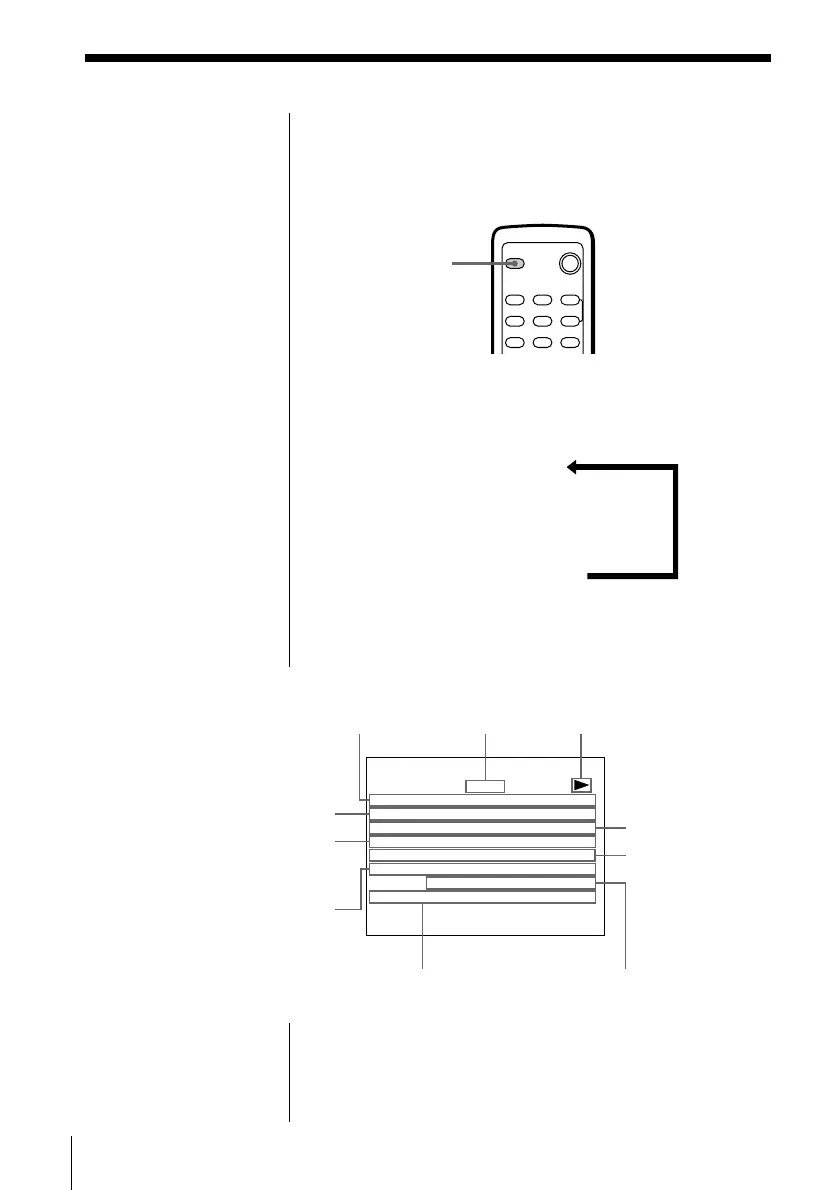
Using the on-screen display
You can check the operating status of the player and
information about the disc using the on-screen display
on the TV screen.
Press DISPLAY.
Each time you press the button, the on-screen display
changes as follows:
On-screen display 1
.
On-screen display 2
.
On-screen display off
p Display information of the on-screen display 1
(2) mode
* “PCM,” “MPEG,” or “DOLBY DIGITAL” is displayed. In
“DOLBY DIGITAL” case, the channel in the playing track
is displayed.
What is angle?
See page 43.
What is language for
the sound and sub-
titles?
See pages 53 and 54.
Note
Depending on the DVD
VIDEO, some information
may not appear on the TV
screen.
Current language
for the sub-titles/
total number of
languages for
sub-titles
Playing time of the
current chapter
2)
Current language for the
sound/total number of
languages for the sound
Current chapter
number/total
number of
chapters in the
current title
Playing status
Current play mode
Selected angle/total
number of angles
Playing time of
the current title
1)
Current audio format*
Current title number/
total number of titles
VDD PLAY
ITTLE/TOTAL: 1/1
ITTLEPLAY: 0:12:01
HCAPTER/TOTAL: 3/10
HCAPTERPLAY: 0:00:43
SUBTITLE/TOTAL
:
UADIO/TOTAL: OTHER/1
DOLBY D I G I TAL 5 . 1
NAGLE/TOTAL: 1/6



 To Next Page