Basic Operations10
GB
Recording on a tape
For hookup instructions, see pages 26 - 29.
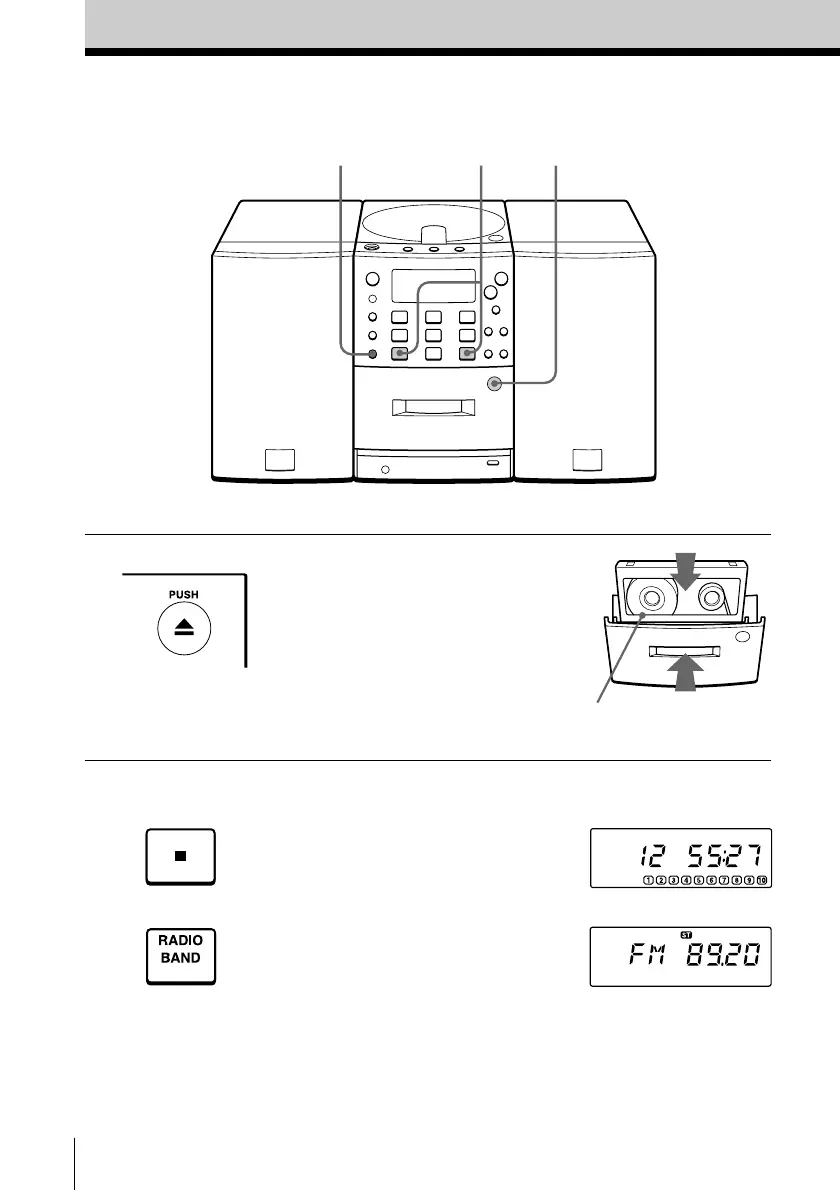
1 Press 6 PUSH to open the tape
compartment and insert a blank
tape. Use TYPE I (normal) tape
only.
2 Select the program source you
want to record.
To record from the CD player,
insert a CD (see page 4) and press
p on the CD section.
To record from the radio, press
BAND and tune in the station
you want (see page 6).
With the side you want to
record on facing forward
Display
3
3
1


 To Next Page