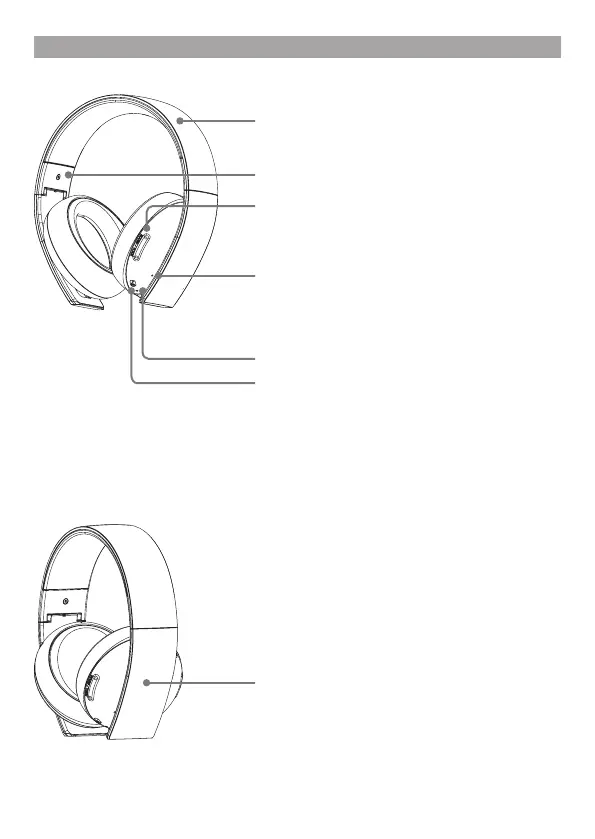
Part names and functions
Front
Microphone (integrated)
Avoid leaving the headphones near speakers while
the microphone is on, because this may produce
feedback (audio noise).
Headband (folds)
SOUND/CHAT button
Adjust the chat voice volume in relation to the
gamesound.
POWER switch
Sets audio mode or turns off headset.
Positions:
OFF - turns off the headset.
1 - sets the headset to standard mode.
2 - sets the headset to bass boost mode.
This mode can be replaced with audio modes from
the Headset Companion app.
Status indicator
R marking
Faceplates
Faceplates are removable and customisable.



 To Next Page