3
Let’s get started
EN
3
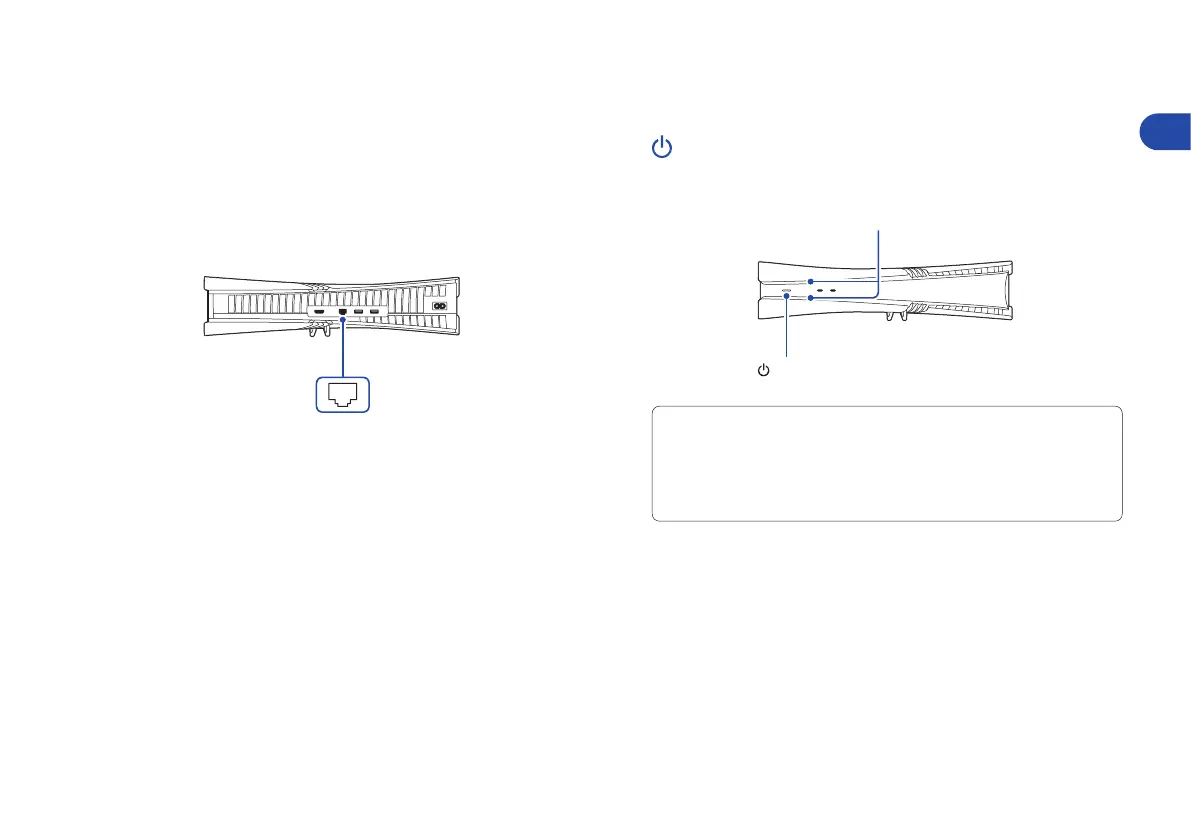
Connect the LAN cable.
For a wired connection to the internet, use a LAN cable
(not included).
If you’re going to use Wi-Fi, don’t connect a LAN cable
and skip to the next step.
4
Turn on your TV and set the input
to HDMI.
Rear view
LAN port
5
Turn on your PS5 console by pressing the
(power) button.
The power indicator blinks blue, and then turns white.
If you leave the console idle for 60 seconds after you turn it on,
the screen reader turns on. You can listen to on-screen text and
other important information read aloud to help you accomplish
what you want to do.
Screen reader is available only in certain languages.
Front view
Power indicator
(power) button



 To Next Page