8
What’s on the screen
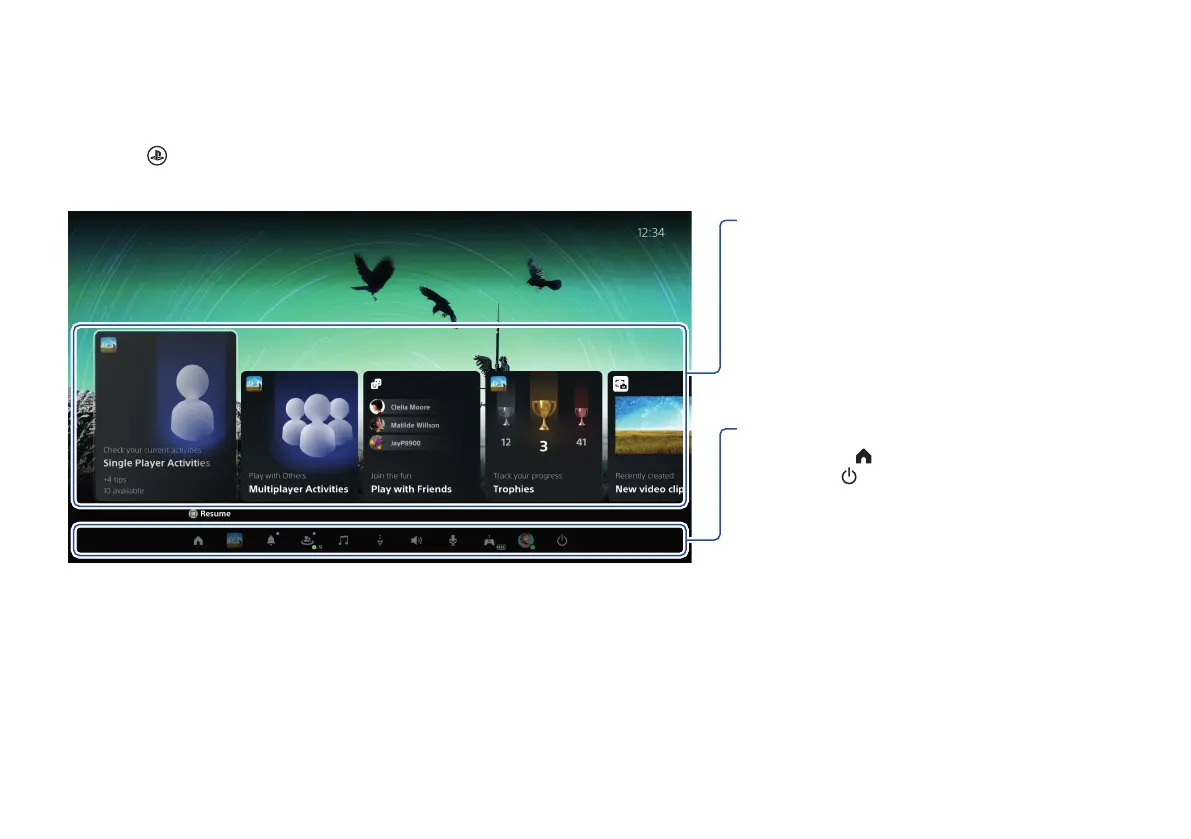
Control centre
Press the (PS) button to open the control centre.
You can access a variety of features without leaving your game or app.
Cards
Cards show you features and activities related
to your games and apps that are available
depending on what you’re doing at that
moment. Select a card to learn more, or jump
to the next card.
Controls
Select Home to return to your home screen,
and Power to turn off your PS5 console.
Perform other basic functions here, too.
Get quick access to the functions and settings
you use most during gameplay.



 To Next Page