2
Let’s get started
1
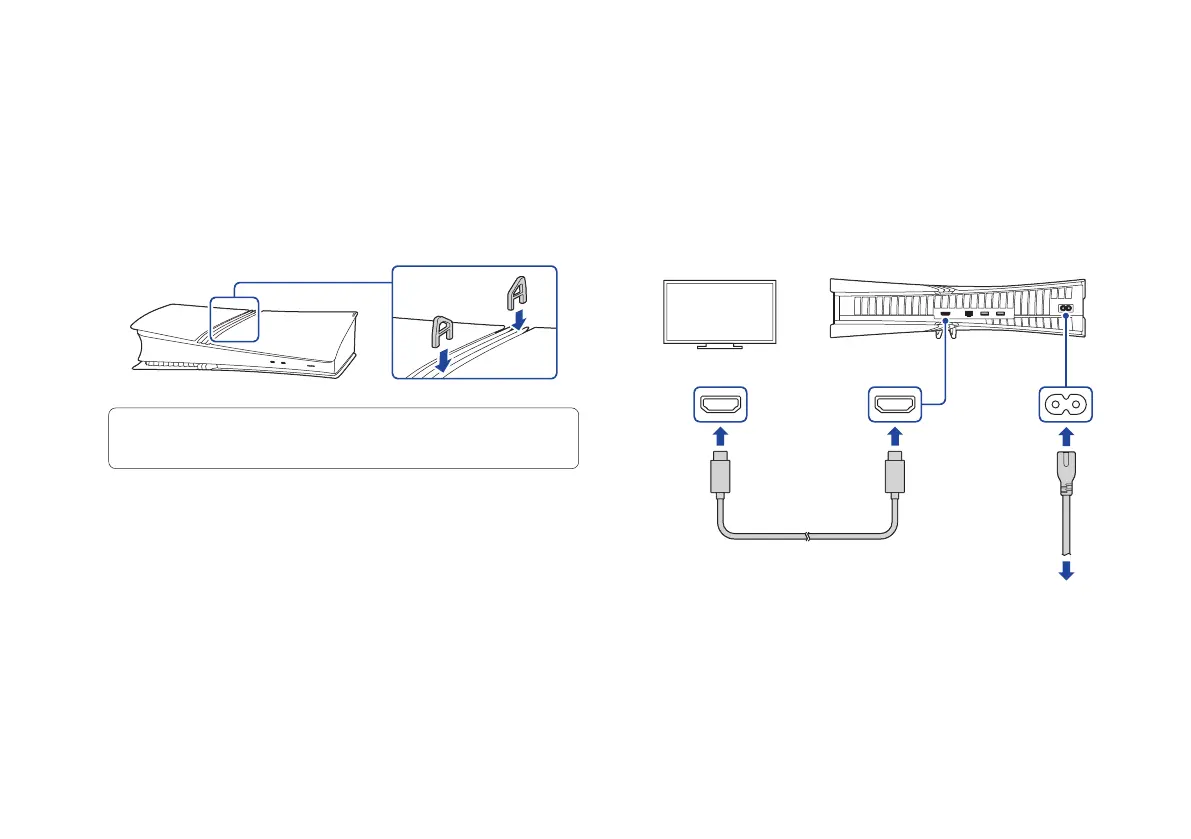
Insert the horizontal stand feet into the hole
in the grooves of the PlayStation®5 console.
Always attach the feet to your PS5® console before use.
Place your console on a soft cloth spread over a flat
surface before attaching the feet.
If you want to set your PS5 console in the vertical position, you’ll
need to use the vertical stand (sold separately).
Bottom view
2
Connect the HDMI cable and the AC power
cord.
Use the included cables.
Make all connections before plugging the AC power cord
into an electricity supply.
HDMI IN port HDMI OUT port
HDMI™ cable
To an electricity supply
AC IN connector
AC power cord
Rear view



 To Next Page