18
Playing Universal Media Disc games
Playing Universal Media Disc games
3
Select the icon, and then press the
button.
Playback begins.
To remove the Universal Media Disc, stop playback and then
open the disc cover.
T
o save game data, you must first insert a Memory Stick Duo
™
in the memory stick slot.
Quitting a game
Press the PS button to quit a game.
PS button
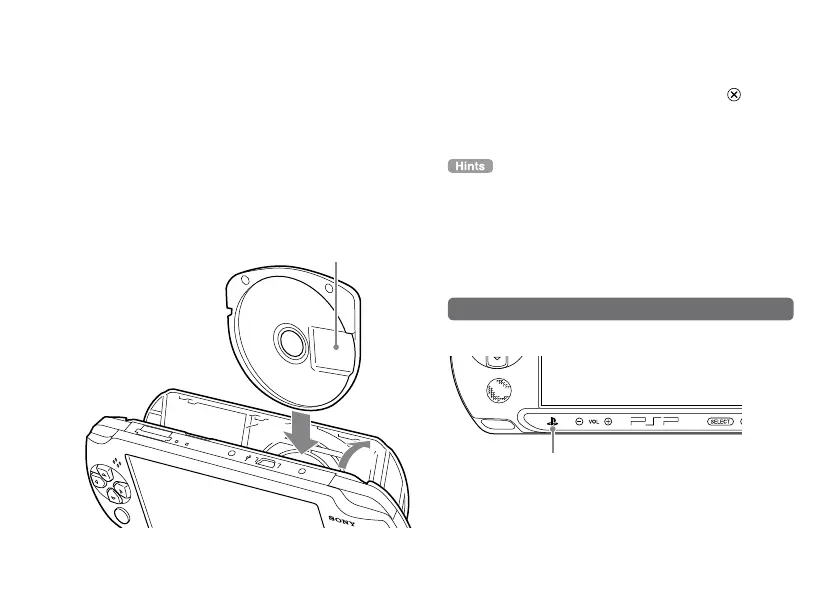
1
Place your finger in the indentation on the
top of the system to open the disc cover.
2
Insert a Universal Media Disc and close the
disc cover.
Check that the disc cover is tightly closed.
Do not touch the recorded surface.


 To Next Page