Charging the battery
Charging the battery
Before using the PSP® system for the first time after
purchase, or when the battery charge level is low, follow
the steps below to charge the battery.
Caution
Stop use, unplug the AC adaptor from the electrical outlet
and disconnect any other cables immediately if the device
functions in an abnormal manner, produces unusual sounds
or smells or becomes too hot to touch, or has become
misshapen.
Do not plug the
AC adaptor for the PSP
® system into an
electrical outlet until you have made all other connections.
The sock
et-outlet shall be installed near the equipment and
shall be easily accessible.
Charging methods
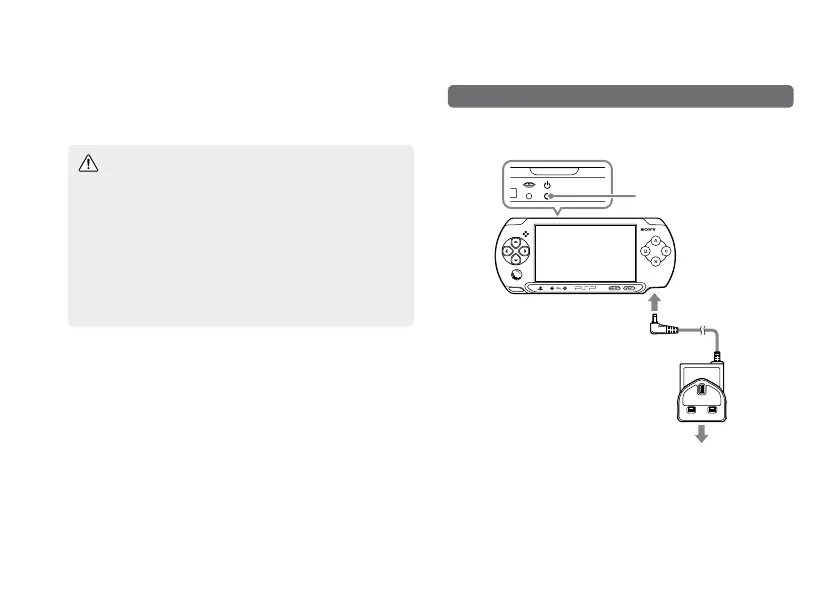
Charging with an AC adaptor*
The system's battery can be charged using an AC adaptor.
POWER indicator
To electrical outlet
The power indicator lights up in orange, indicating that
charging has begun. The power indicator turns off when
the battery is fully charged.
* Some regions and countries may use a different AC Adaptor
from the one illustrated.


 To Next Page