16
Using the XMB
TM
(XrossMediaBar) menu
Using the XMB
™
(XrossMediaBar) menu
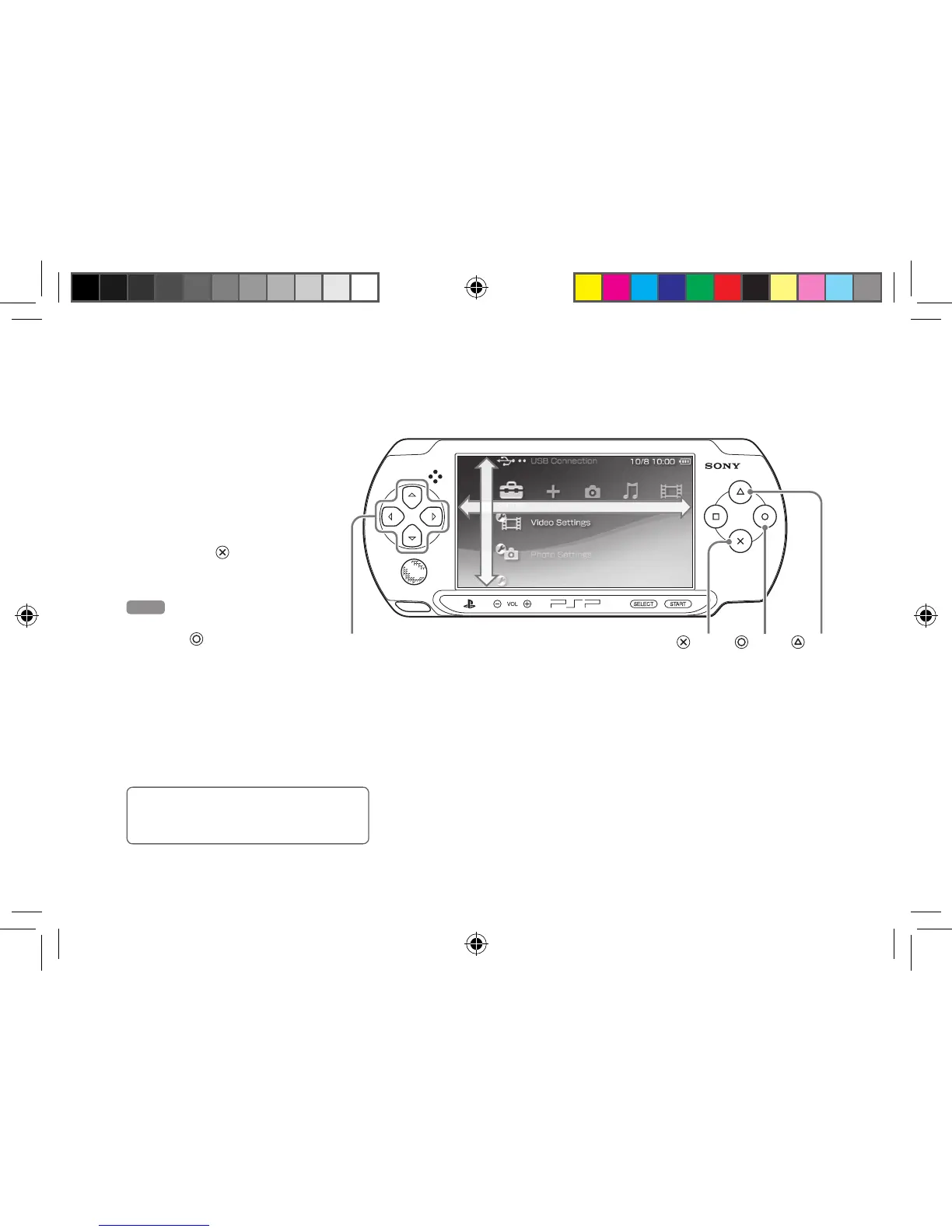
The PSP® system includes a user interface called XMB
™
(XrossMediaBar).
1
Select a category using
the left or right button.
2
Select an item using the
up or down button.
3
Press the button to
confirm a selected item.
Hint
You can cancel an operation by
pressing the
button.
Icons displayed on the screen vary
depending on the system software version.
Category
Item
Directional buttons
button
button
button
12508 PSP E-1000_GB_MasterV2.indd 16 21/09/2011 16:49



 To Next Page