47
To turn on/off the buzzers independently
Press the corresponding button. When it is lit, the
buzzer is on.
[Call Buzzer]: For the buzzer sound when a call signal
is received
[Touch Click]: For the buzzer sound when a button
displayed on the menu display is operated
[SW Click]: For the buzzer sound when a button on
the panel is operated
To turn off all the buzzers
Press and light
[All Off].
When the adjustment is completed
Press
[Exit] to leave the menu.
Adjusting the Brightness of the
LEDs
You can adjust the brightness of the LEDs of the panel
buttons and camera number/tally indication window.
To adjust the brightness, proceed as follows.
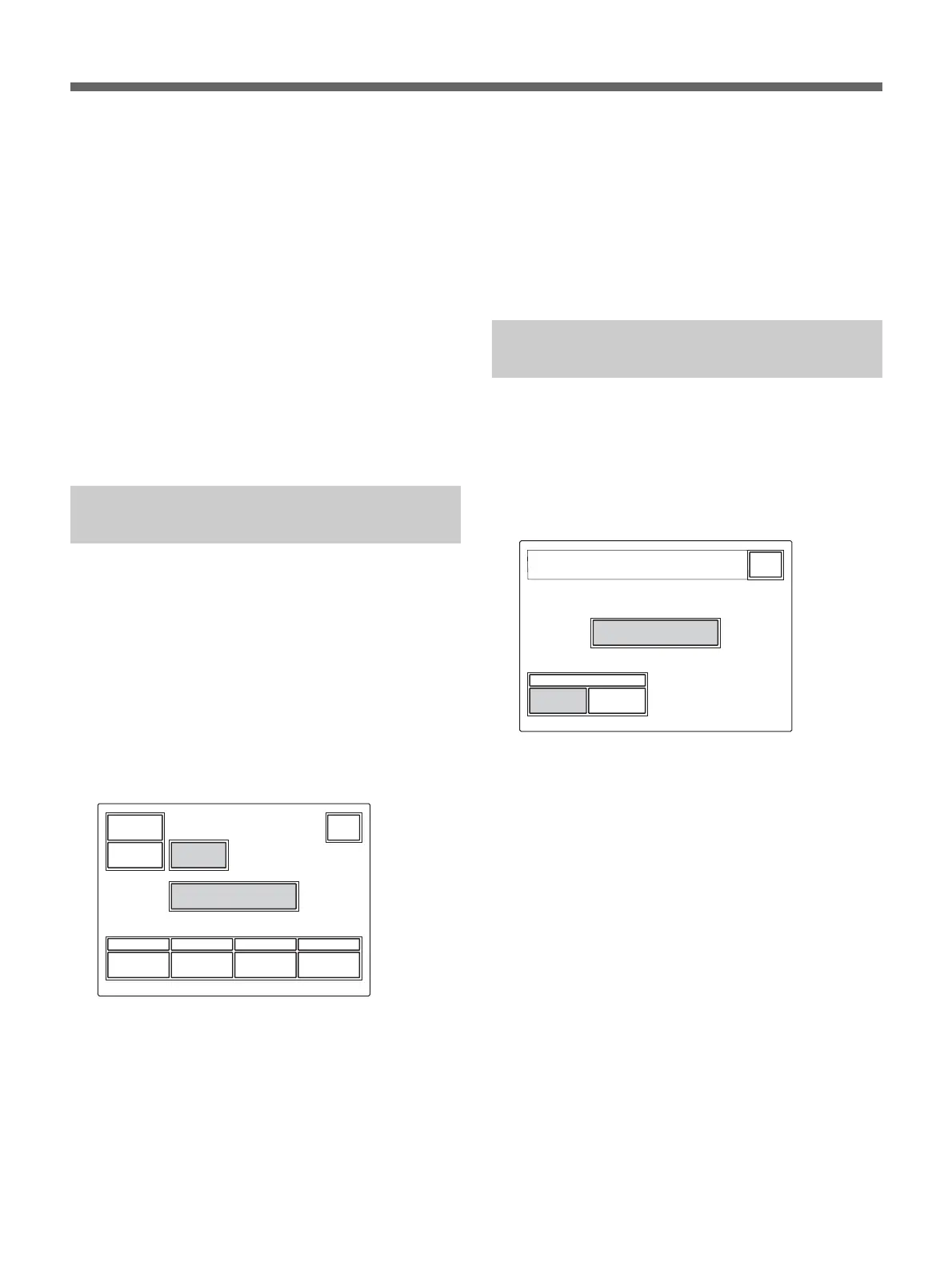
1 Press [RCP Adjusting] on the RCP Config menu to
display the RCP adjustment menu.
2 Press and light [LED Bright].
The lower half of the display becomes the LED
Brightness adjustment display.
Switch
50
Tally
50
Other Master
LED
Brightness
Clear
Buzzer
Volume
LED
Bright
Exit
50 50
3 Adjust the brightness with the corresponding
control knobs (50 is the standard value with all
items).
Switch: Brightness of the built-in LEDs of the
control buttons
Tally: Brightness of the built-in LEDs of the
camera number/tally indication window
Other: Brightness of the other LED indicators/
lamps, including the master black indicator and
f-number indicator
The master brightness can be adjusted with the
rightmost control knob (Master).
When the adjustment is completed
Press
[Exit] to leave the menu.
Changing the Functions of the
Rotary Encoders
You can change the functions of BLACK/FLARE
control knobs.
Proceed as follows:
1 Press [RE Setting] on the RCP Config menu to
obtain the Rotary Encoder Setting display.
BLACK / FLARE
Rotary Encoder
Setting
FlareBlack
Exit
RCP Config Menu
RE Setting
2 When changing the function of the BLACK/
FLARE control knobs, press
[Black] or [Flare] as
desired.
When the adjustment is completed
Press
[Exit] to leave the menu.


 To Next Page