53
DVD Recording
• You cannot change the timer settings for a recording
currently underway.
• The Timer List displays both the DVD recorder and
VCR timer settings.
Recording From Connected
Equipment Without a Timer
You can record from a connected VCR or similar
device. For connection details, see “Connecting
Another VCR or Similar Device” on page 26.
Use the DV IN jack on the front panel if the
equipment has a DV/D8 output jack (i.LINK
jack).
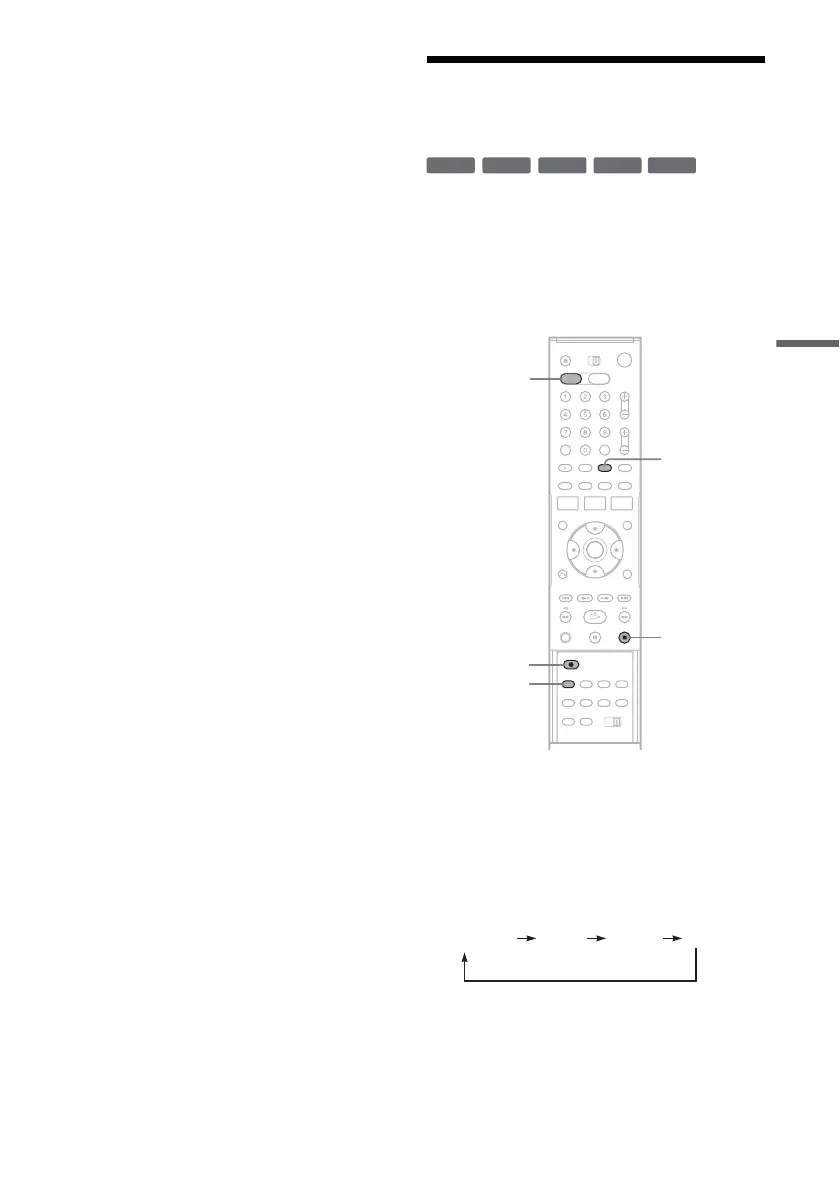
1 Press DVD to operate the DVD recorder.
2 Insert a recordable disc.
3 Press INPUT SELECT repeatedly to select
an input source according to the
connection you made.
The front panel display changes as follows:
+
RW
+
R
-
RWVR
-
RW
Video
-
R
INPUT
SELECT
x STOP
REC MODE
DVD
z REC
LINE2 DVLINE1
Channel
,continued


 To Next Page