91
DV/D8 Dubbing (DV/D8 t DVD)
• Noise may occur when you switch the audio sampling
mode (48 kHz/16 bits t 32 kHz/12 bits).
Dubbing an entire DV/D8 format tape
to a DVD (One Touch Dubbing)
You can record the entire contents of a DV/D8
format tape onto a disc with a single press of the
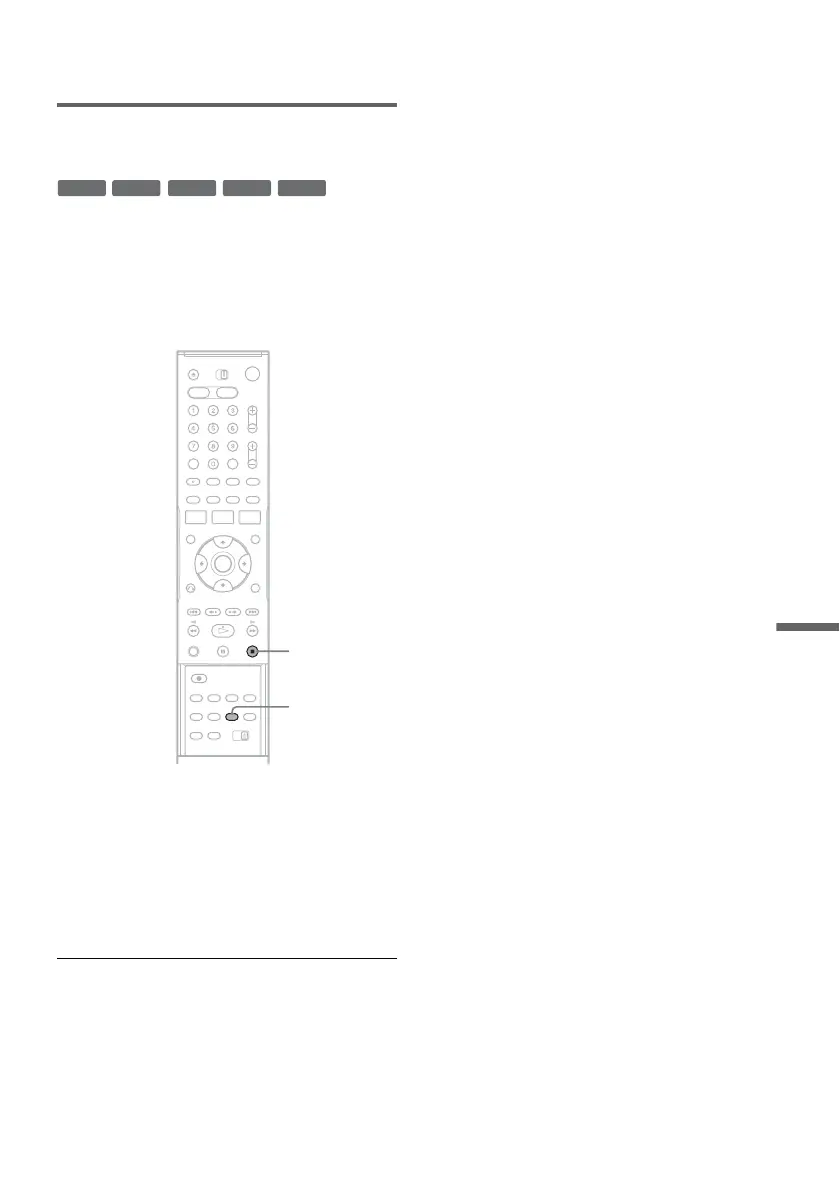
ONE TOUCH DUBBING button. The recorder
controls the digital video camera for the whole
process, and completes the recording.
Follow steps 1 to 11 of “Dubbing From a DV/D8
Format Tape to a DVD” (page 89), and press
ONE TOUCH DUBBING on the remote.
The recorder rewinds the tape in the digital video
camera and then starts recording the tape contents
from the beginning.
When playback of the tape stops, One Touch
Dubbing ends automatically.
To stop during recording
Press x STOP.
Note that it may take a few seconds for the
recorder to stop recording.
z Hint
You can also perform One Touch Dubbing when you
select “DV/D8 One Touch Dubbing” and press ENTER
in step 15 of “Dubbing From a DV/D8 Format Tape to a
DVD” on page 89. Follow the instructions appearing on
the TV screen.
-
RWVR
-
RW
Video
+
RW
+
R
-
R
ONE TOUCH
DUBBING
x STOP


 To Next Page