Reader™ User Guide
Print
Search
Getting started
Basic Operations
Adding/Getting Content
Browsing Content Lists
Reading
Organizing
Other Applications
Settings
Other Information
Contents list
Top page > Other Applications > Evernote > Creating a new account
Creating a new account
If you have not created an Evernote account yet, you will need to, in order to get
started.
1. Press the
(Home) button tap [Applications] [Evernote Setup].
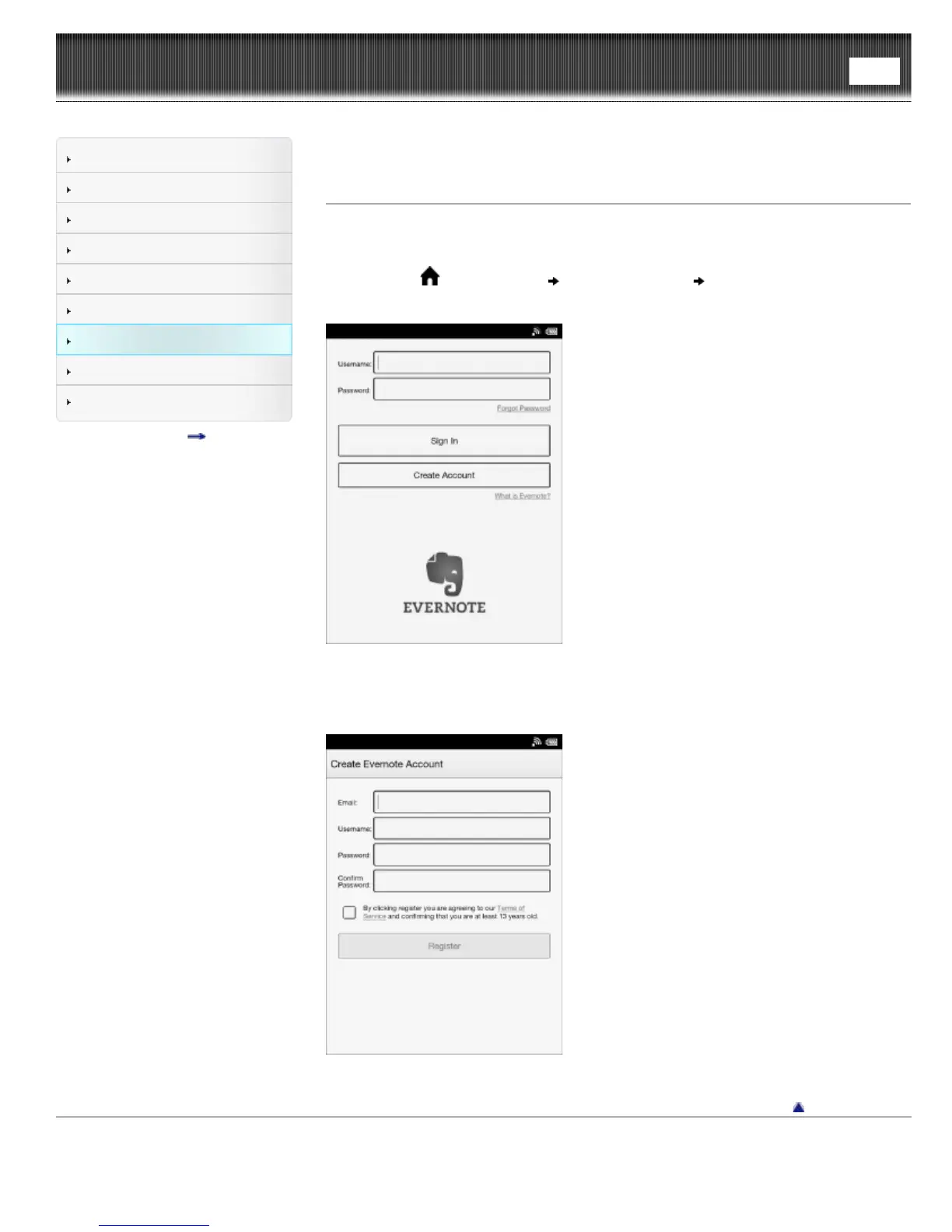
An Evernote settings screen for signing in appears.
2. Tap [Create Account].
3. Tap the input area and type the email address, username and password using the
on-screen keyboard.
4. Tap [Register].
Go to page top
Copyright 2013 Sony Corporation






 To Next Page