Reader™ User Guide
Print
Search
Getting started
Basic Operations
Adding/Getting Content
Browsing Content Lists
Reading
Organizing
Other Applications
Settings
Other Information
Contents list
Top page > Basic Operations > [Home] Screen > Applications and the [Home] Screen
Applications and the [Home] Screen
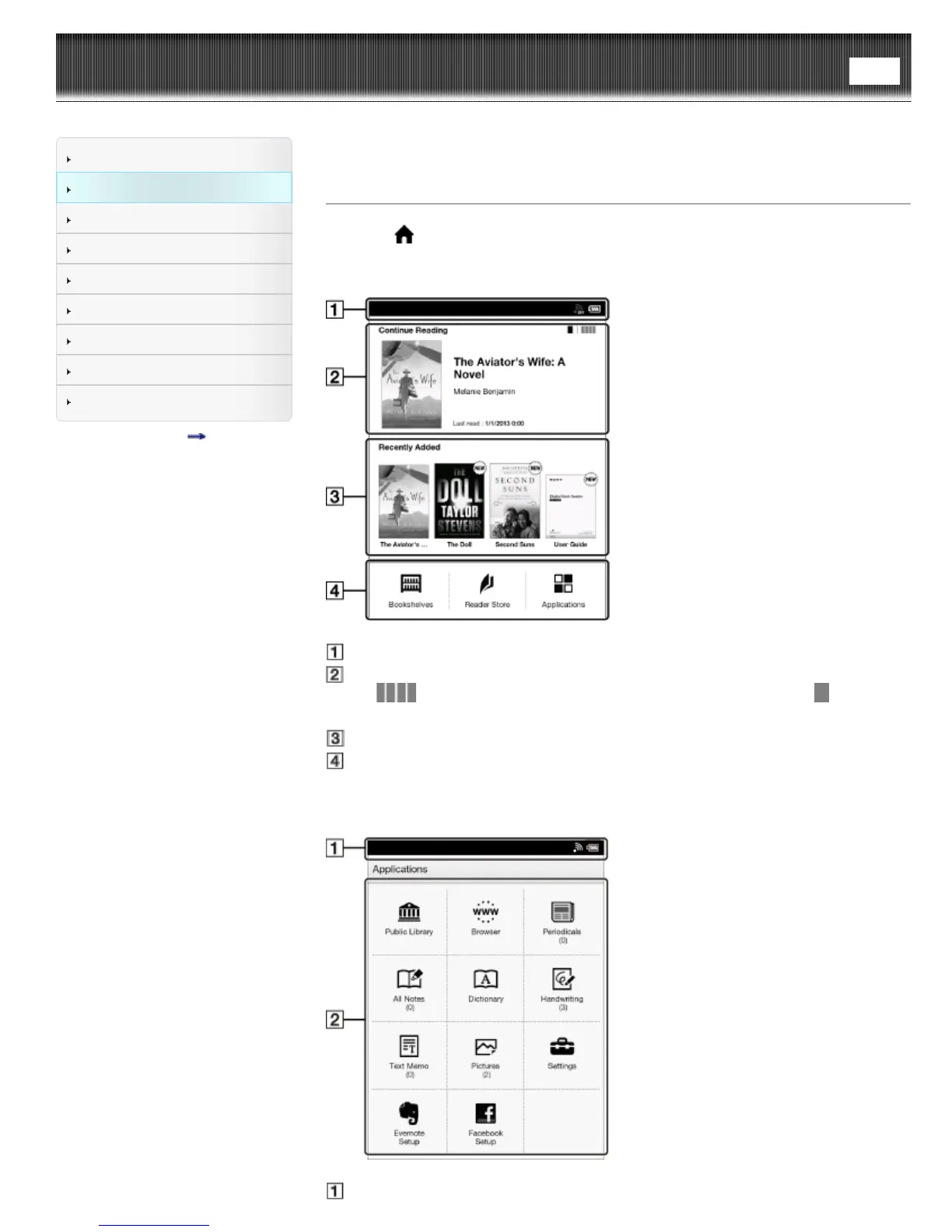
Press the (Home) button to display the [Home] screen. The [Home] screen has the
following applications.
The displayed icons may vary depending on the country/region setting.
Status bar
Last read item
Tap
to show the four most recently read books/periodicals. Tap to show the
previous screen.
Recently added books/periodicals
Applications
Depending on the country/region selection up to four application icons will be
displayed.
The [Applications] screen appears when you tap [Applications] on the [Home] screen.
Status bar













 To Next Page