Reader™ User Guide
Print
Search
Getting started
Basic Operations
Adding/Getting Content
Browsing Content Lists
Reading
Organizing
Other Applications
Settings
Other Information
Contents list
Top page > Reading > Reading eBooks > Page Navigation
Page Navigation
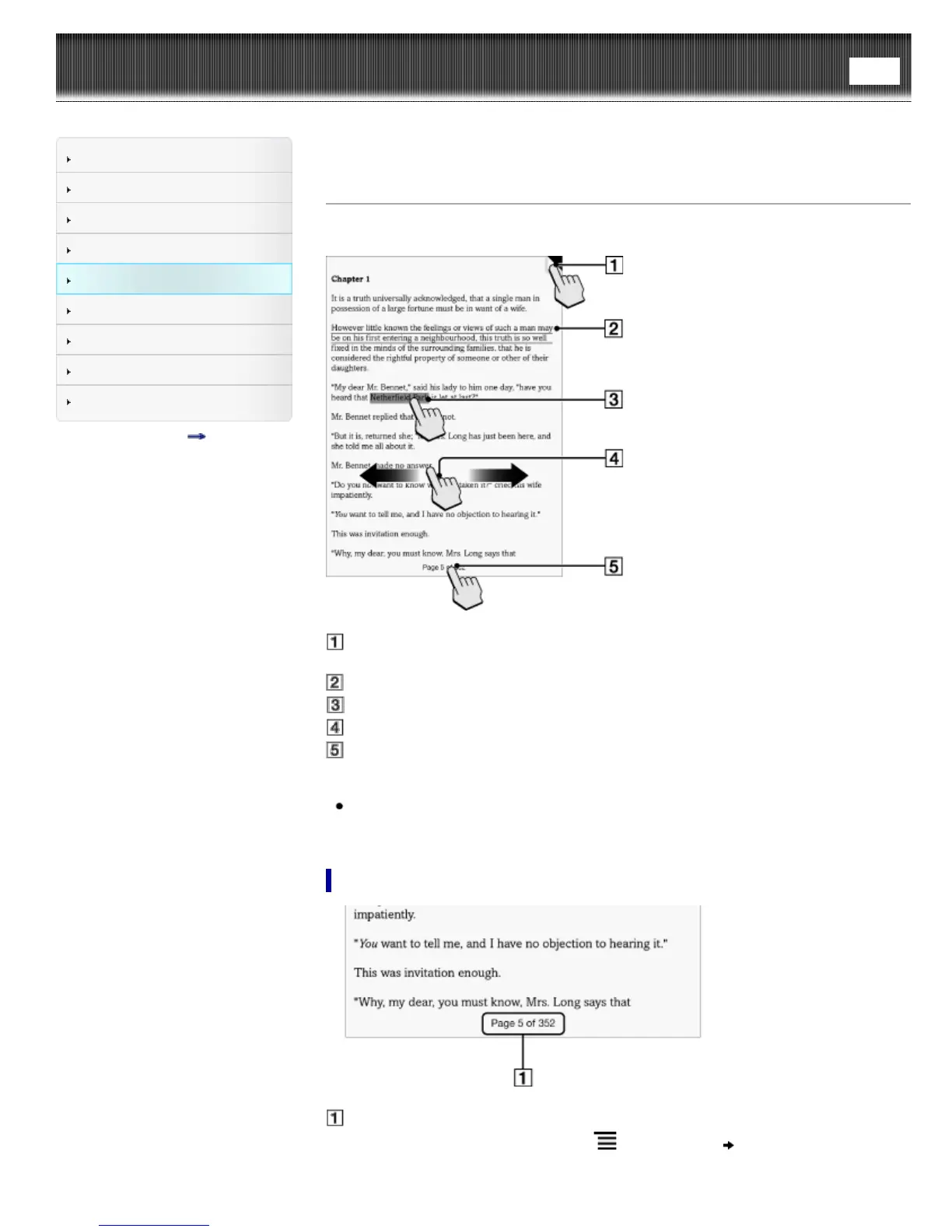
There are several ways to navigate through books.
Tap to add a bookmark Details
Tap and hold to add a note
Draw a handwritten note Details
Tap and hold to open option items Details
Swipe the screen to turn the page
Tap to open the page navigation panel.
Tip
If you select the [Refresh Display] checkbox from [Application Preferences], the
display refreshes at each page turn. See Details.
Using the page navigation panel
Page indicator
1. Tap the page indicator, or press the
(Menu) button tap [Navigate Page] to
open the page navigation panel.
Using the paging bar













 To Next Page