It--::--
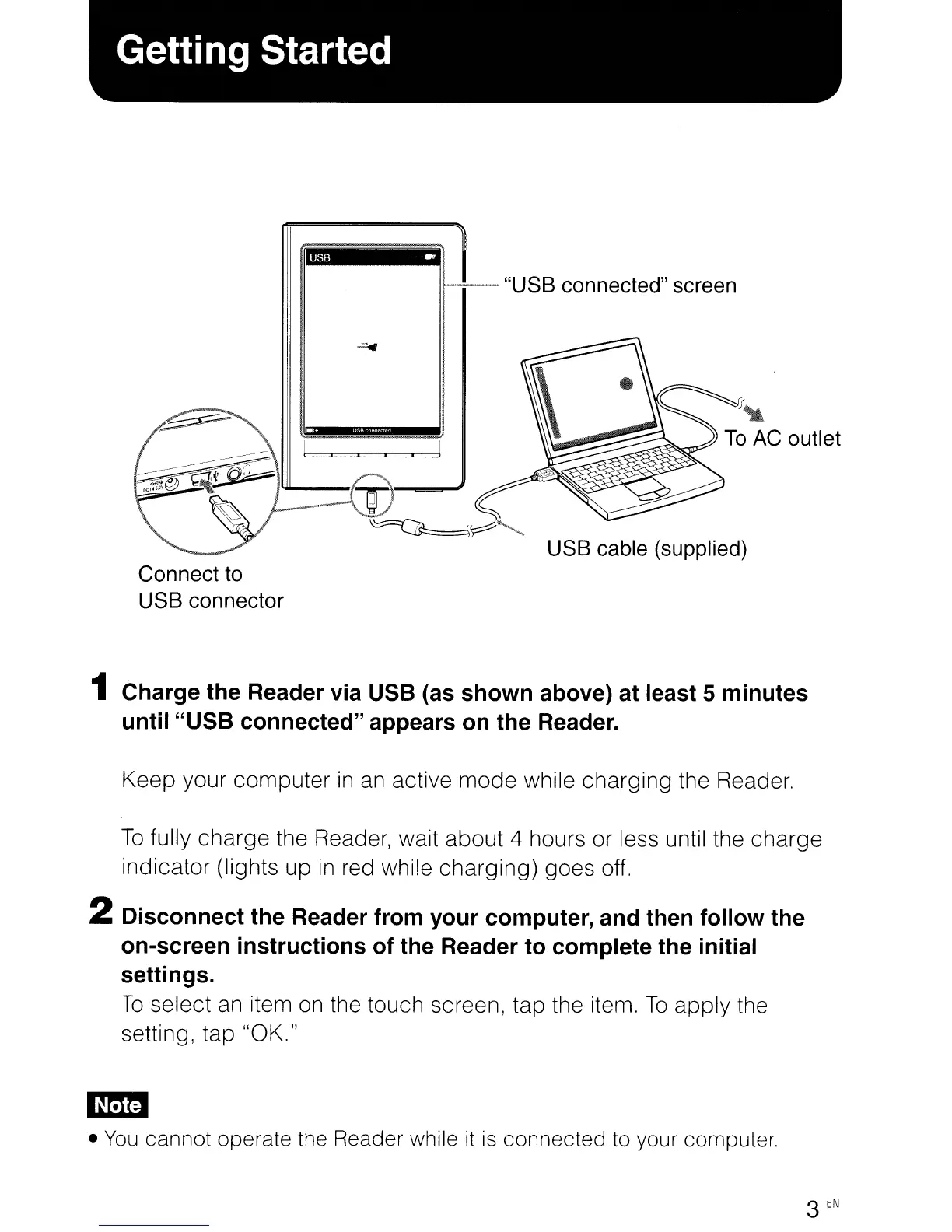
"USB
connected"
screen
J"
To
AC
outlet
USB
cable
(supplied)
Connect
to
USB
connector
1 Charge the Reader via USB (as shown above) at least 5 minutes
until "USB connected" appears on the Reader.
Keep your computer
in
an
active mode while charging the Reader.
To
fully charge the Reader, wait about 4 hours or less until the charge
indicator (lights up
in
red while charging) goes off.
2 Disconnect the Reader from your computer, and then follow the
on-screen instructions of the Reader to complete the initial
settings.
To
select
an
item
on
the touch screen, tap the item.
To
apply the
setting, tap "OK."
em
•
You
cannot operate the Reader while
it
is
connected to your computer.
3
EN
It--::--
"USB
connected"
screen
J"
To
AC
outlet
USB
cable
(supplied)
Connect
to
USB
connector
1 Charge the Reader via USB (as shown above) at least 5 minutes
until "USB connected" appears on the Reader.
Keep your computer
in
an
active mode while charging the Reader.
To
fully charge the Reader, wait about 4 hours or less until the charge
indicator (lights up
in
red while charging) goes off.
2 Disconnect the Reader from your computer, and then follow the
on-screen instructions of the Reader to complete the initial
settings.
To
select
an
item
on
the touch screen, tap the item.
To
apply the
setting, tap "OK."
em
•
You
cannot operate the Reader while
it
is
connected to your computer.
3
EN












 To Next Page