34
Names and Functions of Parts
In RM Configuration Menu mode, press
this button to check the sound volume
during buzzer volume adjustment.
Adjustment value indicator
In RM Function Operation mode, this
indicator displays the adjustment value of
the selected function.
In RM Configuration Menu mode, the
indicator displays the set value of the
selected item.
In RM Function Operation mode, for some
functions the adjustment value displayed on
the adjustment value indicator may differ
from that displayed on the camera’s
indicator.
Adjustment knob (rotary encoder)
In RM Function Operation mode, use this
knob to adjust the selected function.
In Camera Menu mode, use this knob to
select the menu item and change the setting.
In RM Configuration Menu mode, use this
knob to set the selected item.
d SHOT MARK button
Press this button during recording or
playback to record shot mark 1.
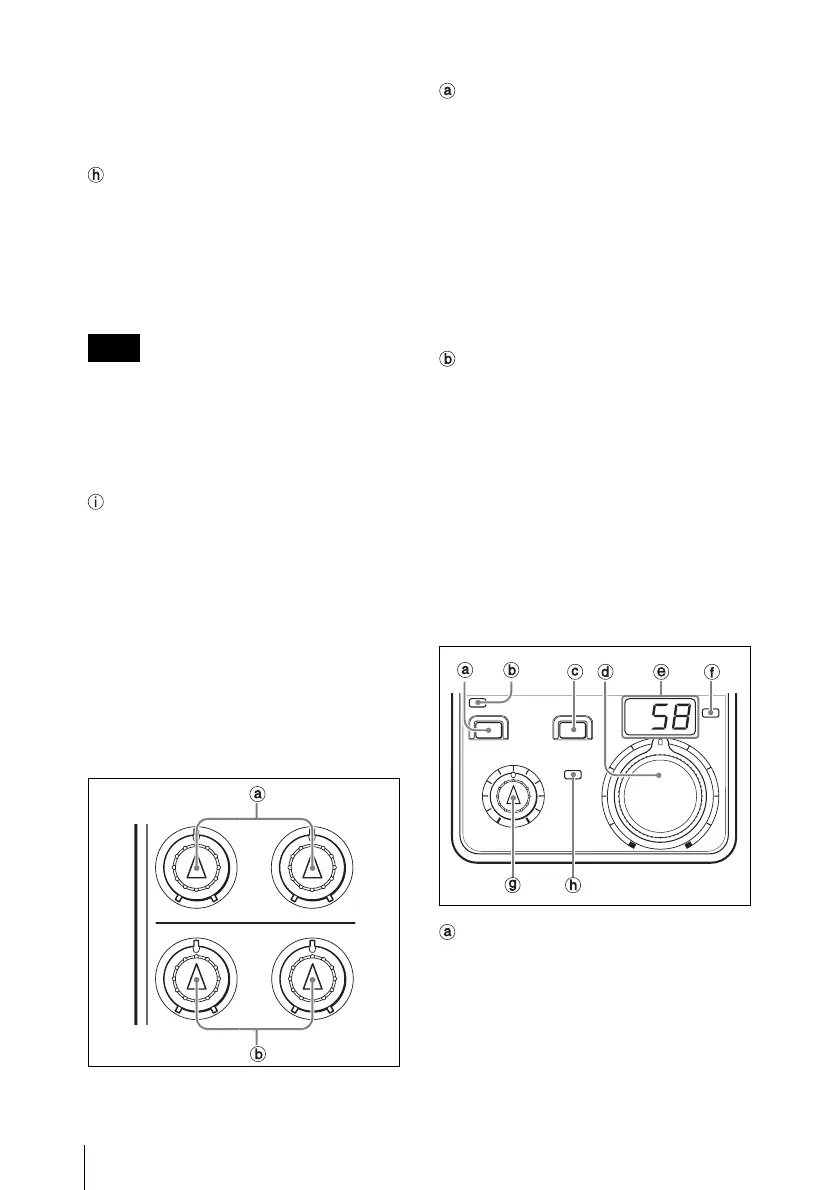
e White/black balance control block
WHITE (white balance) controls
Use these controls to adjust the white
balance manually. The left control is for the
R signal and the right control is for the B
signal.
The adjustment mode of the controls is
specified at the factory as Relative mode,
which can be changed to Absolute mode
using the RM Configuration menu.
For details, see “Detail Menu” in “Settings on the
RM Configuration Menu” (page 43).
BLACK (black balance) controls
Use these controls to adjust the black
balance manually. The left control is for the
R signal and the right control is for the B
signal.
The adjustment mode of the controls is
specified at the factory as Relative mode,
which can be changed to Absolute mode
using the RM Configuration menu.
For details, see “Detail Menu” in “Settings on the
RM Configuration Menu” (page 43).
f Iris/master black control block
ACTIVE (panel active) button
Use this button to select the control mode
for the connected camera system.
With the factory setting, the control mode is
cyclically switched among FULL, PART,
and LOCK modes each time the button is
pressed.
Note
WHITE
BLACK
IRIS/MB ACTIVE
ACTIVE AUTO IRIS
IRIS
EXT
MASTER
BLACK
ALARM
.












 To Next Page