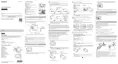
5. Push the hook outwards and remove the battery pack.
Note
When removing the built-in battery pack of this unit, be careful of the following.
Remove the screws, etc. away from small children to prevent accidental swallowing.
Be careful not to injure your nails or fingers.
[66] Troubleshooting Troubleshooting Cannot connect this unit and the camera via Wi-
Fi.
Cannot connect this unit and the camera via Wi-Fi.
If you cannot connect the camera to this unit properly, try the operation below.
Check the camera and this unit connection mode are set to the single connection mode. If not,
change the connection mode and connect again.
[67] Troubleshooting Troubleshooting Cannot turn on this unit.
Cannot turn on this unit.
Charge the battery pack sufficiently.
[68] Troubleshooting Troubleshooting The power of this unit turns off suddenly.
The power of this unit turns off suddenly.
Charge the battery pack sufficiently.
If you have not used this unit for a prolonged period, the efficiency of the battery will be improved by
repeatedly charging and discharging it.



 To Next Page