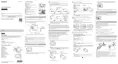
1. Button hold icon
2. Airplane mode icon
The icon of the airplane mode will be displayed when the airplane mode is set to ON.
3. Battery level indicator of this unit
When the remaining battery charge decreases, the battery level indicator will change in the
direction of an arrow as illustrated.
4. Clock display
Live-View display
1. Shooting mode indicator
During movie recording, appears. During still image shooting, appears. During interval
photo recording, appears. During loop recording, appears. During audio recording,
appears.
2. Button hold icon
3. Battery level indicator of this unit
When the remaining battery charge decreases, the battery level indicator will change in the
direction of an arrow.
4. REC icon
5. Shooting mode switching indicator
6. Memory card warning icon/Temperature increase icon
The is displayed when the temperature of the camera increases. Leave the power turned off to
allow the temperature of the camera or the battery to decrease.
7. Remaining battery charge indicator of the camera



 To Next Page