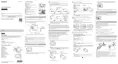
1. MENU button
2. Connector cover
3. Lock lever
4. Multi/Micro USB terminal
5. RESET (Reset) button
6. CHG (Charge) lamp
7. UP button
8. DOWN button
9. DISP button
10. REC/ENTER button
11. REC/Wi-Fi lamp
12. LCD screen
13. ON/OFF (Power) button
14. Loop for a belt
[2] How to use Read This First Screen display during single connection
Screen display during single connection
The indicators described below are displayed on the remote control display panel during single
connection.
The indicators differ depending on the connected camera.
Clock display



 To Next Page