— 8 —
KV-24FV10/25FV10/25FV10C
3
Connecting Your TV
Read this chapter before setting up your TV for the first time. This section
covers basic connections in addition to any optional equipment you may
be connecting.
Basic Connections
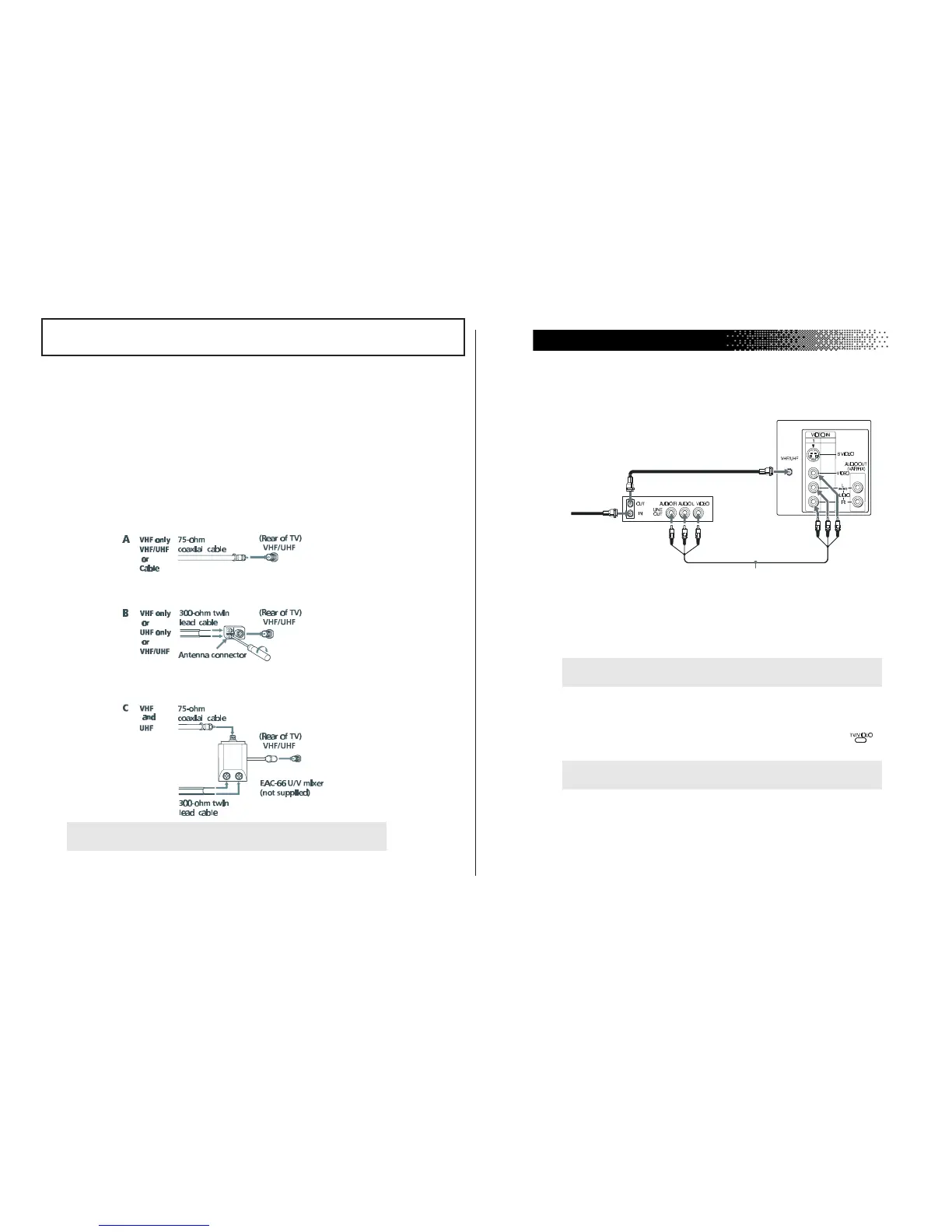
TV with indoor or outdoor antenna, or CATV cable
Depending on the cable available in your home, choose one of the
connections below:
✍
If you are connecting to an indoor or outdoor antenna, it will be necessary to
adjust the orientation of the antenna for best reception.
The instructions mentioned here are partial abstracts from the Operating Instruction Manual.
The page numbers shown reflect those of the Operating Instruction Manual.
4
User Guide
Connecting Additional Equipment
TV and VCR
1
Connect the coaxial cable from your TV antenna or cable TV to the IN
jack on your VCR.
2
Connect a coaxial cable (not supplied) from the OUT jack on your
VCR to the VHF/UHF IN jack on the TV.
(Optional connection)
3
If your VCR is equipped with video inputs, for better picture quality
you should connect A/V cables from AUDIO and VIDEO OUT on
your VCR to AUDIO/VIDEO IN on your TV. You can use the
button to switch between the TV and VCR inputs.
✍
To watch video programs from your VCR, tune your TV to channel 3 or 4 (as
set on the rear of your VCR).
✍
For optimum picture quality, use S VIDEO instead of the yellow A/V cable.
S VIDEO does not provide sound, the audio cables must still be connected.
(Optional connection)
VCR
TV
2
1
3
From
Cable/antenna




 To Next Page