9
US
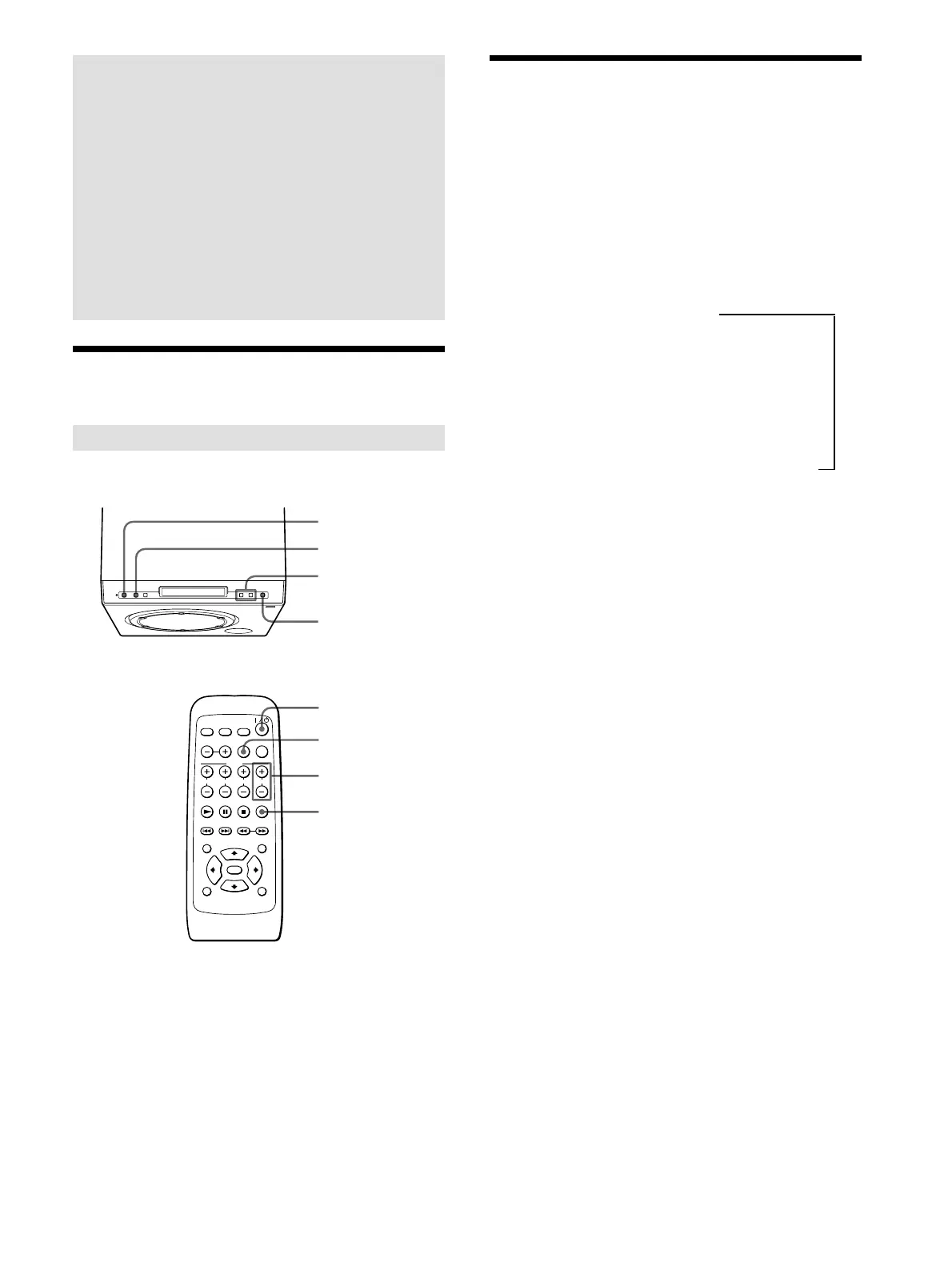
Adjusting the Volume
Adjusting all speakers’ volume together
Operations
You can enjoy surround sound by
selecting a sound field mode that best
suits the program from various sound
field modes of this system.
You can also play the disc in the DVD
player or control the TV with the
supplied remote.
1 Press ?/1 (POWER) to turn on the system.
2 Play the program source.
3 If there is no sound, press FUNCTION to select the
input source.
Each time you press FUNCTION, the input source is
selected and displayed in the following order.
OPTICAL 1 (signal input to the T
DIGITAL IN OPTICAL 1 jack)
r
OPTICAL 2 (signal input to the
DIGITAL IN OPTICAL 2 jack)
r
AUDIO 1 (signal input to the AUDIO IN 1 jack)
r
AUDIO 2 (signal input to the AUDIO IN 2 jack)
4 Press MASTER VOL +/–.
On the remote, press VOLUME +/–.
To mute the sound
Press MUTING.
Adjusting the Volume
?/1 (POWER)
FUNCTION
?/1 (POWER)
FUNCTION
VOLUME +/–
MUTING
MASTER VOL +/–
MUTING



 To Next Page