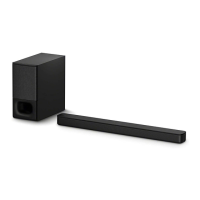
SA-WCT800
13
SECTION 3
TROUBLESHOOTING
1. ON/STANDBY indicator fl ashes in red (PROTECT)
Note: When the volume level is “0”, power of amplifi er block is turned off, and amplifi er protect diagnosis is not performed.
Set the volume level than “1”.
ON/STANDBY indicator flashes in
red.
(PROTECT)
IC7203 on the SUB-MAIN board is
burned out.
ON/STANDBY indicator remains
flashing in red, when removing the
speaker connection connector
(CN7202) on the SUB-MAIN board
and turning the power on.
Yes
Yes
Yes
Replace the IC7203 on the SUB-
MAIN board.
No
No
No
Check the speaker cable.
Check and replace the speaker
(SP1).
No
Check the mounted state of area surrounding IC7203 on the
SUB-MAIN board do not short-circuits or opens. If there is no
abnormality, IC7203 on the SUB-MAIN board might have been
damaged. Replace the IC7203 on the SUB-MAIN board.
Yes
The voltage of the following is 12 V.
SUB-MAIN board: IC7104 pin 4
Yes
Replace the SUB-MAIN board.
(IC7104 on the SUB-MAIN board might
have been damaged)
Fuse (F72001) on the SUB-MAIN
board conduct the electricity.
Replace the fuse (F72001) on the SUB-
MAIN board. After the fuse replacing, if
immediately the fuse is damaging, IC7203
on the SUB-MAIN board might have been
damaged. Replace the IC7203 on the
SUB-MAIN board.


 To Next Page