Using the Sleep Timer
[]
You can set the system to turn off automatically at a
specified time.
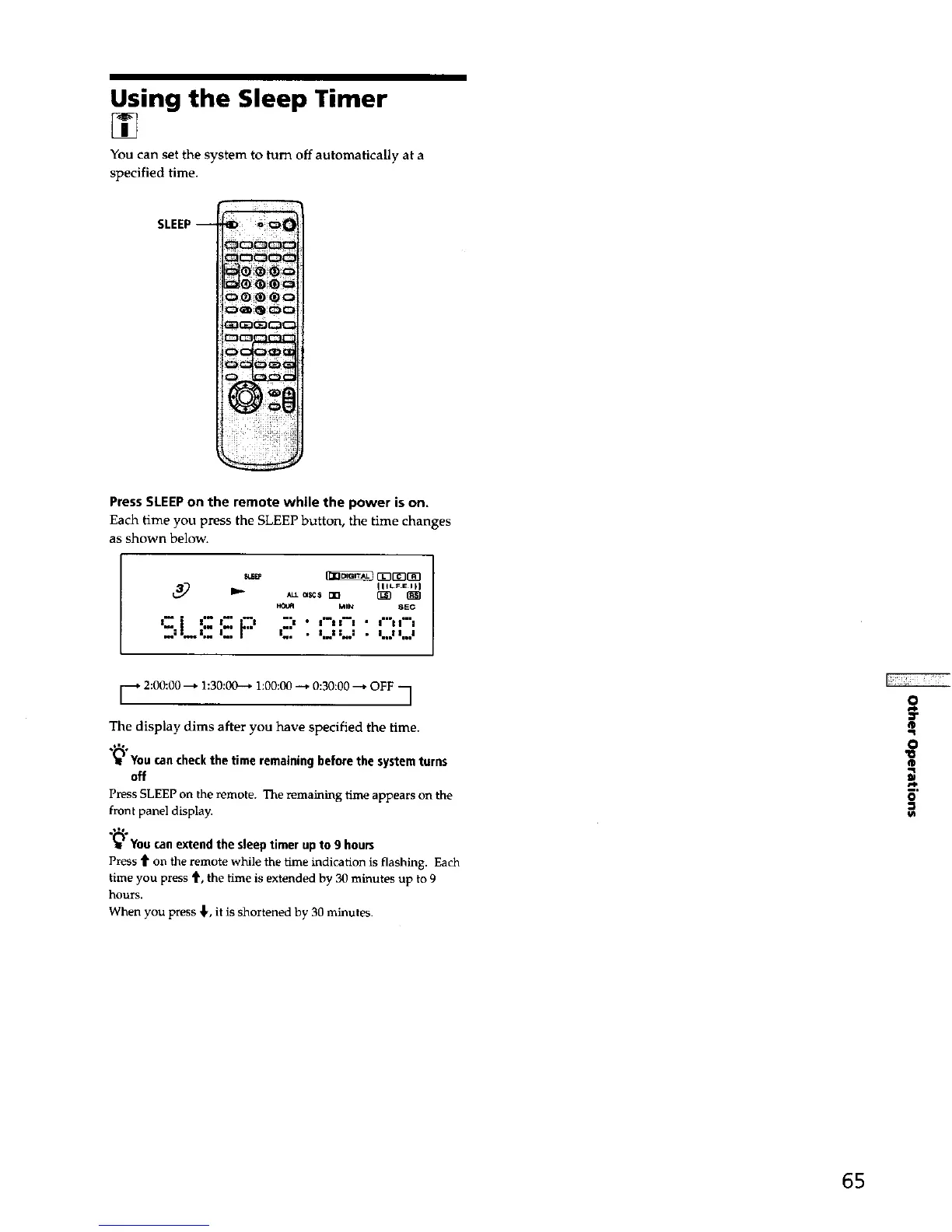
SLEEP-
PressSLEEPon the remote while the power ison.
Each time you press the SLEEP button, the time changes
as shown below.
_ GZ313_3_3
IllLFEIFI
MIN 8EC
Jib • • l.ll l..l
[_* 2:00:00---* 1:30:00--* 1:00:0(3-_ 0:30:00 --_ OFF
1
The display dims after you have specified the time.
You can checkthe time remaining before the system turns
off
Press SLEEP on the remote. The remaining time appears on the
front panel display.
(_ You can extend the sleep timer up to 9 hours
Press t on the remote while the time indication is flashing. Each
time you press 4', the time is extended by 30 minutes up to 9
hours.
When you press ,1,, it is shortened by 30 minutes.
O
Ir
®
O
"o
®
O
65



 To Next Page