B'
o
o
Index toPartsand Controls
eemo
76
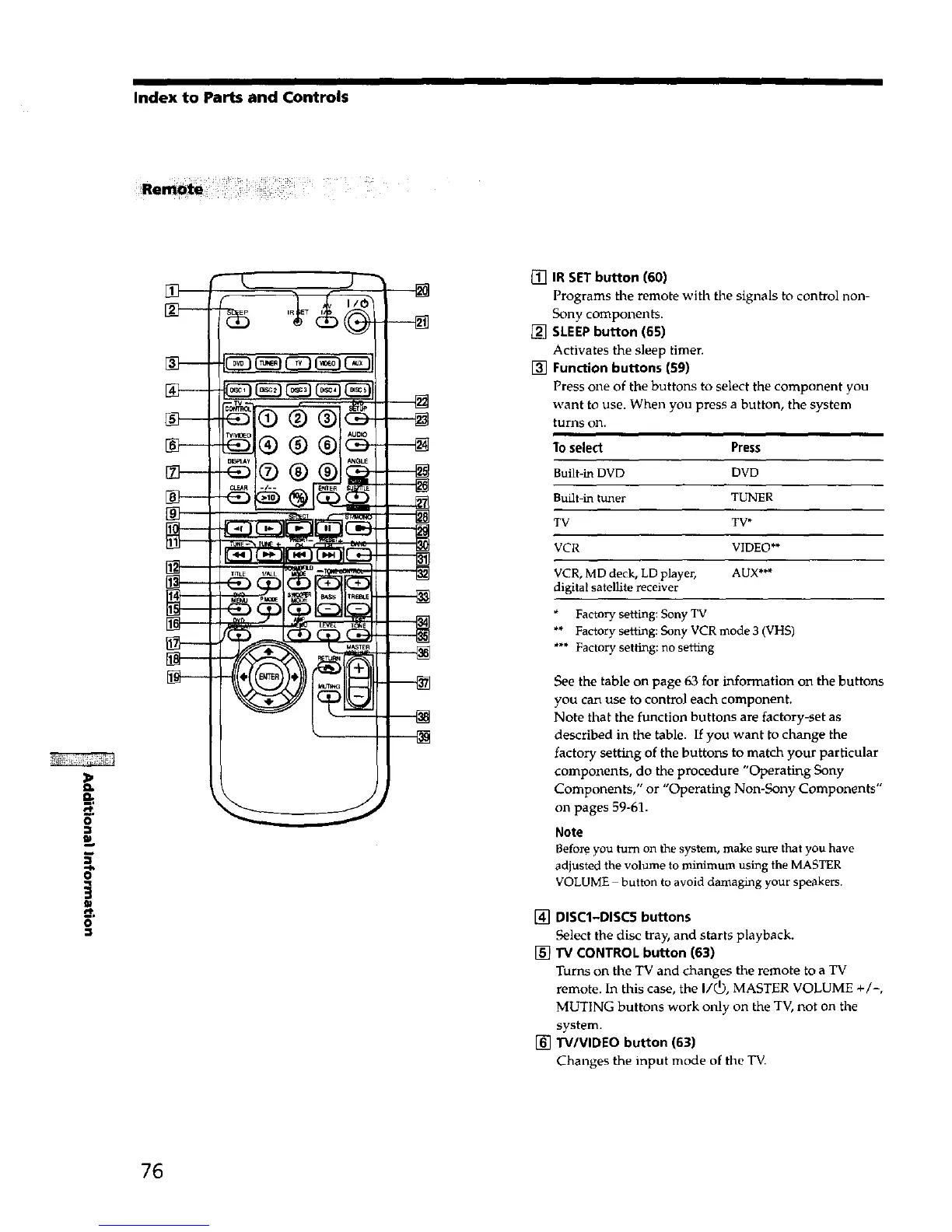
[] IR SETbutton (60)
Programs tile remote with the signals to control non-
Sony components.
[] SLEEPbutton (651
Activates the sleep timer.
[] Function buttons (59)
Press one of the buttons to select the component you
want to use. When you press a button, the system
turns on.
1o select Press
Built-in DVD DVD
Built-in tuner TUNER
TV TV*
VCR VIDEO**
VCR, MD deck, LD player, AUX***
digital satellite receiver
Factory setting: Sony TV
** Factory setting: Sony VCR mode 3 (VHS)
*** Factory setting: no setting
See the table on page 63 for information on the buttons
you can use to control each component.
Note that the function buttons are factory-set as
described in the table. If you want to change the
factory setting of the buttons to match your particular
components, do the procedure "Operating Sony
Components," or "Operating Non-Sony Components"
on pages 59-61.
Note
Befol_ you turn on thesystem, make surethat you have
adjusted the volume to minimum using the MASTER
VOLUME button to avoid damaging your speakers.
[] DISC1-DISC5 buttons
Select the disc tray, and starts playback.
[] "IV CONTROL button (63)
Turns on the TV and changes the remote to a TV
remote. In this case, the I/(_), MASTER VOLUME +/-,
MUTING buttons work only on the TV, not on the
system.
[] .IV/VIDEO button (63)
Changes the input mode of the TV.



 To Next Page