6
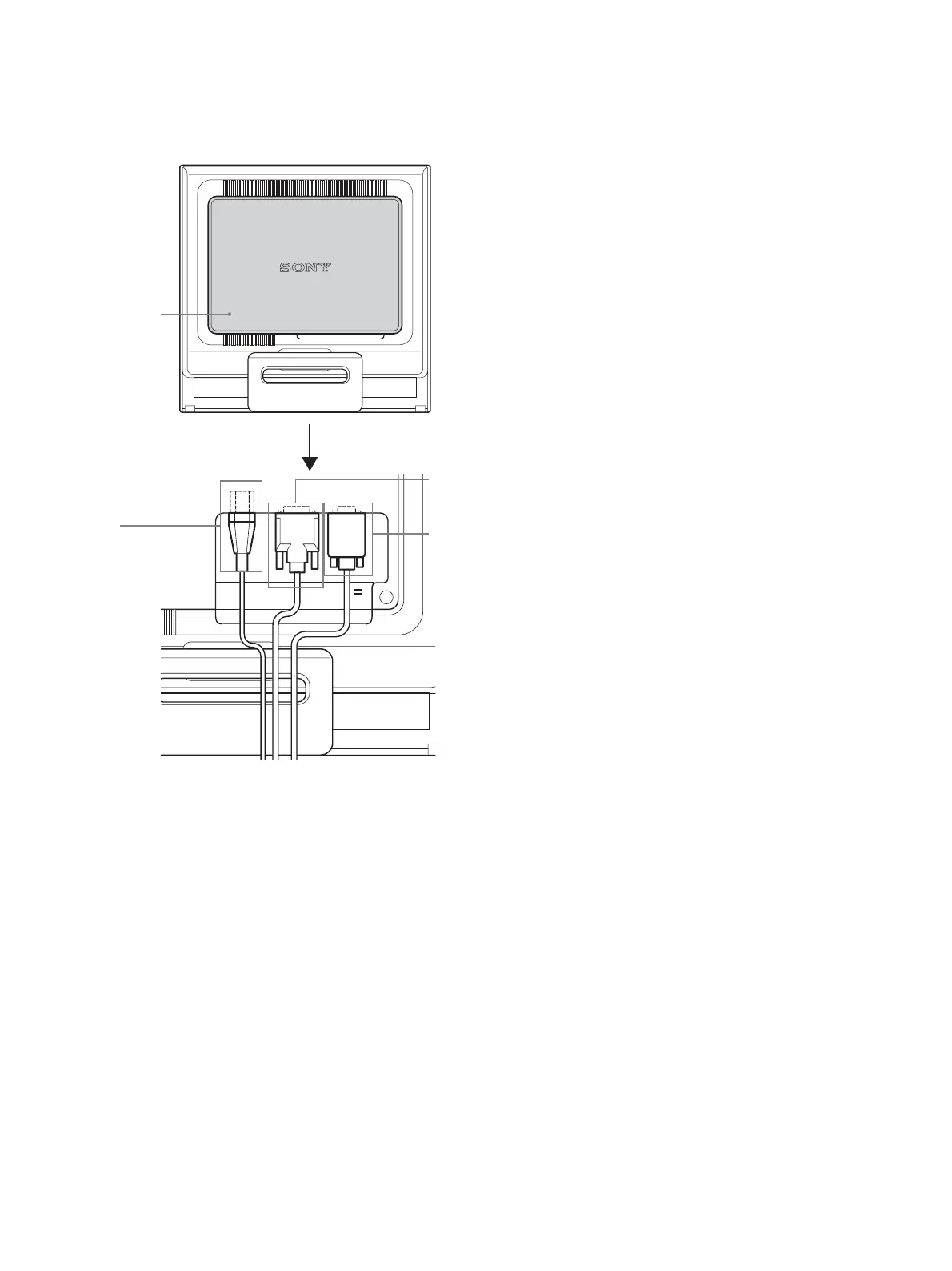
Rear of the display
9 Back cover (page 8)
Remove this cover when you connect/disconnect cables or
cords.
0 AC IN connector (page 8)
Connect the power cord (supplied).
qa DVI-D input connector (digital RGB) for INPUT1
(page 7)
This connector inputs digital RGB video signals that comply
with DVI Rev.1.0.
qs HD15 input connector (analog RGB) for INPUT2
(page 7)
This connector inputs analog RGB video signals (0.7 Vp-p,
positive) and SYNC signals.
9
qa
qs
q;
Remove the back cover.


 To Next Page