8
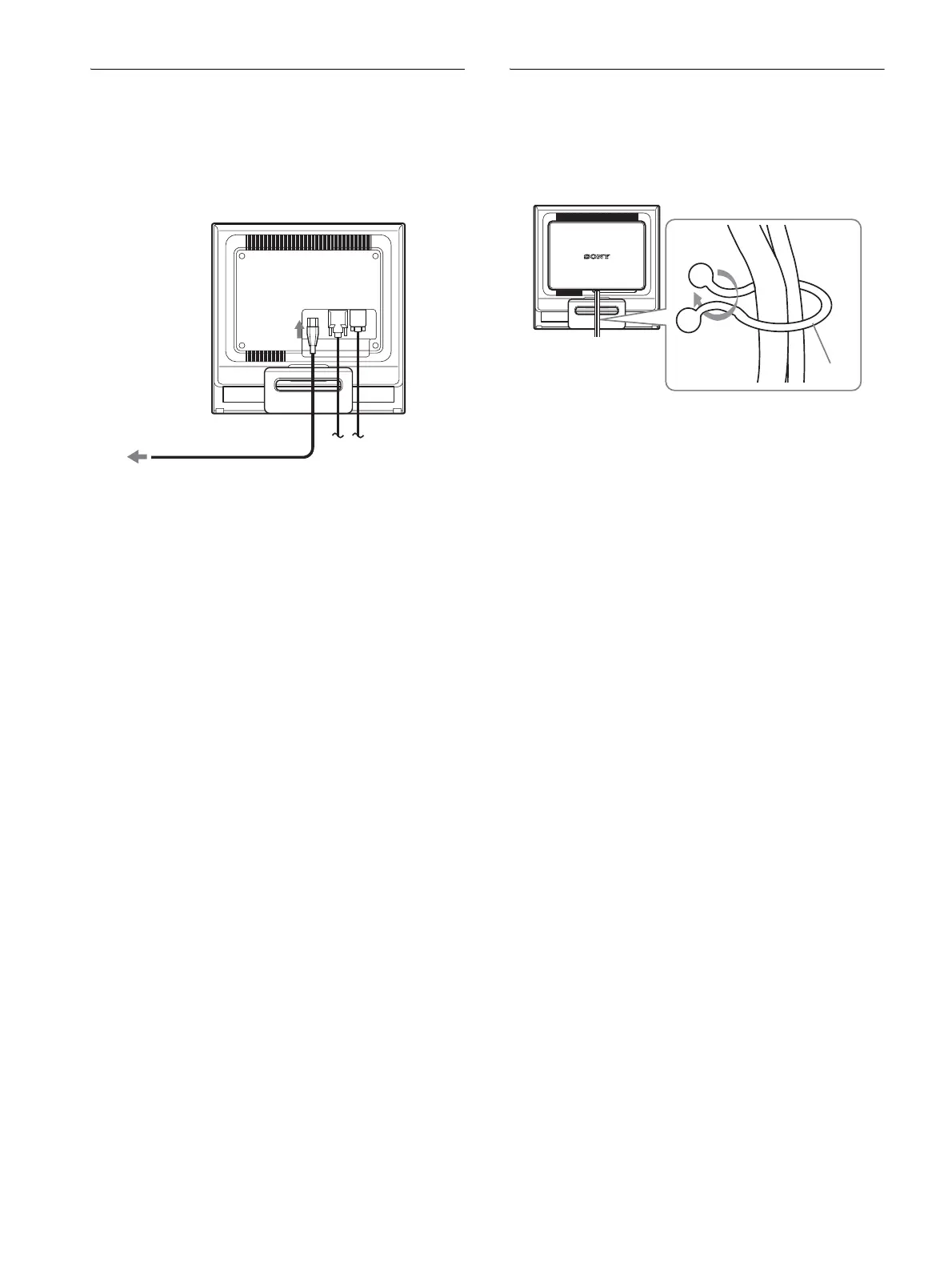
Step 3:Connect the power cord
With the monitor and computer switched off, first connect the
power cord to the monitor, then connect it to a power outlet.
Step 4:Secure the cords and
replace the back cover
1 Bundle the cables and cords.
Using the supplied cord strap, bundle the cables and cords.
2 Replace the back cover.
to AC IN
to a power outlet
power cord (supplied)
Cord
strap
The illustration of the back of the monitor shown here
is that of the SDM-HS75P.
The same applies for the other models.


 To Next Page