EasyManua.ls Logo

Sony SDM-N50 Marketing - User Manual

Sony SDM-N50 Marketing
104 pages
Print Icon
To Next Page IconTo Next Page
Loading...
3-868-361-25(1)
© 1999 Sony Corporation
TFT LCD Color
Computer Display
Operating Instructions
Mode d’emploi
Bedienungsanleitung
Manual de instrucciones
Istruzioni per l’uso
GB
DE
FR
IT
ES
SDM-N50

Table of Contents

Other manuals for Sony SDM-N50 Marketing

Questions and Answers

  • M
    Martha TaylorJul 30, 2025
    What to do if my Sony SDM-N50 Marketing says 'NO INPUT SIGNAL'?
    • R
      Ryan AdamsJul 31, 2025
      If your Sony Monitor displays 'NO INPUT SIGNAL', it means either no signal is being input, or no signal is being input from the currently selected connector. Check that the video signal cable is properly connected and all plugs are firmly seated in their sockets. Also, verify that the input select setting is correct and that the video input connector’s pins are not bent or pushed in.
  • K
    kimberly70Aug 10, 2025
    How to fix 'CABLE DISCONNECTED' message on Sony Monitor?
    • D
      Danielle SimsAug 10, 2025
      If your Sony Monitor displays 'CABLE DISCONNECTED', it indicates that the video signal cable has been disconnected from the currently selected connector. Ensure the video signal cable is properly connected and all plugs are firmly seated in their sockets. Check that the input select setting is correct, and inspect the video input connector’s pins for any bending or damage. Note that if you connect a non-supplied video signal cable, 'CABLE DISCONNECTED' may appear before the monitor enters power saving mode; this is normal.
  • K
    Kimberly PenaAug 18, 2025
    Why does my Sony Monitor say 'OUT OF SCAN RANGE'?
    • S
      Stacie RobinsonAug 18, 2025
      If your Sony Monitor displays 'OUT OF SCAN RANGE', the input signal is not supported by the monitor’s specifications. Ensure that the video frequency range is within the specified limits for the monitor: Horizontal: 30 – 61 kHz, Vertical frequency: 48 – 85 Hz (only XGA mode at 75 Hz). If you recently replaced an old monitor, reconnect the old monitor and adjust the frequency range accordingly. If using Windows 95/98 and replacing an old monitor, reinstall the old monitor and install the Windows Monitor Information Disk and select this monitor (“SDM-N50”) from among the Sony monitors in the Windows 95/98 monitor selection screen. If using a Macintosh system, check and refer to the supplied 'Notes for Macintosh users.'

Summary

Safety Precautions

General Warnings

Key safety warnings regarding electrical hazards and unit handling.

Precautions

Power Connection Warnings

Guidance on using correct power cords and ensuring safe connections.

LCD Screen Handling

Guidelines for safely handling and preventing damage to the LCD screen.

Adjusting Tilt and Height

Identifying Parts and Controls

Media Engine Overview

Setup Guide

Connecting Computer to Monitor

Detailed steps for connecting the monitor to Macintosh and IBM PC/AT computers.

Connecting Display and Media Engine

Instructions for linking the display unit with the media engine.

Initial Setup and Power-On

Display Troubleshooting and Configuration

Input Signal Selection

Customizing Your Monitor

Picture Adjustment Controls

Adjusting picture position, phase, pitch, and zoom settings.

Picture Adjustment: Contrast and Brightness

Advanced Picture Adjustments

Flicker and Blur Correction (Phase;Pitch)

Manual adjustment for phase and pitch to eliminate visual artifacts.

Picture Centering (H;V Center)

Steps to center the image horizontally and vertically.

Screen Brightness and Power Management

Automatic Brightness Control

Using the light sensor for automatic screen brightness.

Technical Features

Power Saving Modes Explained

In-depth look at power saving functions, including user sensor and DPMS.

Advanced Display Features

Automatic Brightness Adjustment

Using the light sensor to dynamically adjust screen brightness.

Troubleshooting

Trouble Symptoms and Remedies

Self-Diagnosis Function

Product Specifications

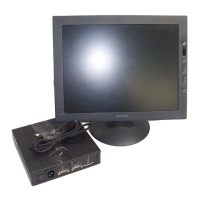
Sony SDM-N50 Marketing Specifications

SDM-N50

Operating Environment IconOperating Environment
operating temperature range41° to 95°
operating relative humidity10% to 80%
storage temperature range-4° to 140°
Display IconDisplay
active display size diagonal15.0"
native resolution1024 x 768
luminance200 cd/m2
Power IconPower
power requirements100-240V AC, 50/60Hz
normal power consumption35 W
power saving mode consumption8 W
Weight and Dimensions IconWeight and Dimensions
display dimensions14.0" x 13.7" x 7.3"
display weight5.9 lbs.

SDM-N50PS

Operating Environment IconOperating Environment
operating temperature range41° to 95°
operating relative humidity10% to 80%
storage temperature range-4° to 140°
Display IconDisplay
active display size diagonal15.0"
native resolution1024 x 768
luminance200 cd/m2
Power IconPower
power requirements100-240V AC, 50/60Hz
normal power consumption35 W
power saving mode consumption8 W
Weight and Dimensions IconWeight and Dimensions
display dimensions without stand14.0” x 11” x 1”
display dimensions with stand14.0” x 8.9” x 8”
display weight3.3 lbs.

Related product manuals