16
D:\###Sagyou\07 July\0709(TUE)-Night\821296S SDM-X52X72X82\4089157231 SDM-
X52X72X82\01GB-SDMX52AEP\01GB02BAS-AEP.fm
masterpage:Left
SDM-X52/X72/X82
4-089-157-23(1)
Additional settings
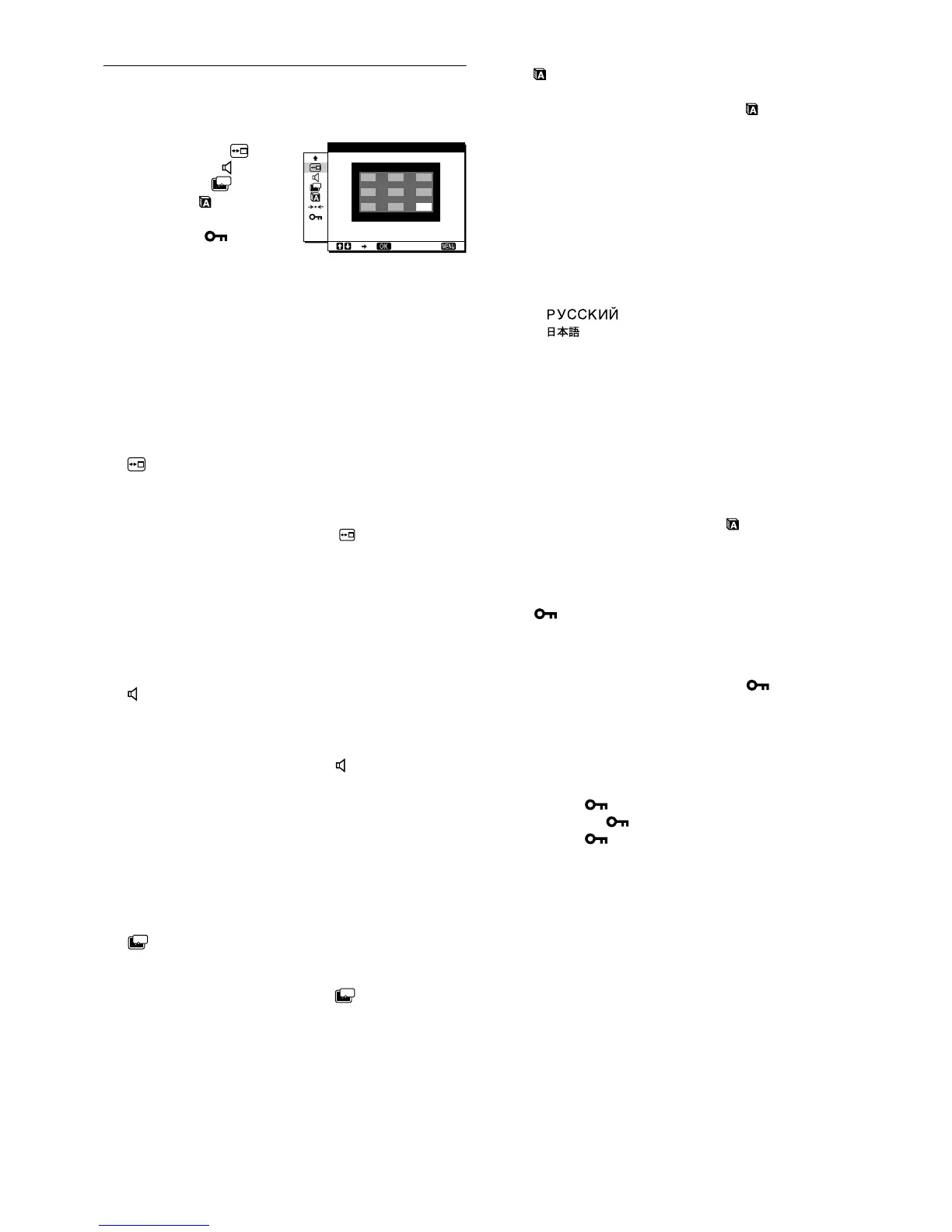
The following menus appear on the screen when you keep
pressing the m button.
• MENU POSITION
• AUDIO SELECT
• POWER SAVE
• LANGUAGE
• RESET 0
•MENU LOCK
1 Press the MENU button.
The main menu appears on the screen.
2 Keep pressing the m button until the desired menu’s
item you want to adjust appears on the screen.
3 Press the M/m buttons to select the desired menu
and press the OK button.
Adjust the selected menu according to the following
instructions.
x MENU POSITION
You can change the menu position if it is blocking an image on
the screen.
1 Press the M/m buttons to select (MENU
POSITION) and press the OK button.
The MENU POSITION menu appears on the screen.
2 Press the M/m buttons to select the desired position
and press the OK button.
You can choose one of 9 positions where the menu will
appear.
x AUDIO SELECT
Select the audio input when connecting to both of the monitor’s
audio input jacks for INPUT1 and INPUT2.
1 Press the M/m buttons to select (AUDIO SELECT)
and press the OK button.
The AUDIO SELECT menu appears on the screen.
2 Press the M/m buttons to select the desired mode.
• AUTO: To select either audio input by switching with the
INPUT button.
• INPUT1: To select audio input via the AUDIO1 jack.
• INPUT2: To select audio input via the AUDIO2 jack.
x POWER SAVE
Set the power saving mode (page 17).
1 Press the M/m buttons to select (POWER SAVE)
and press the OK button.
The POWER SAVE menu appears on the screen.
2 Press the M/m buttons to select either ON or OFF.
• ON: Enters the power saving mode automatically when
no input signal is being input via currently selected
computer.
• OFF: Not enter the power saving mode.
x LANGUAGE
1 Press the M/m buttons to select (LANGUAGE)
and press the OK button.
The LANGUAGE menu appears on the screen.
2 Press the M/m buttons to select a language.
• ENGLISH
• FRANÇAIS: French
• DEUTSCH: German
• ESPAÑOL: Spanish
• ITALIANO: Italian
• NEDERLANDS: Dutch
• SVENSKA: Swedish
•: Russian
• : Japanese
x 0 RESET
Reset the adjustments to the default settings.
1 Press the M/m buttons to select 0 (RESET) and
press the OK button.
The RESET menu appears on the screen.
2 Press the M/m buttons to select the desired mode.
• OK: To reset all of the adjustment data to the default
setting. Note that the (LANGUAGE) setting
is not reset by this method.
• CANCEL: To cancel resetting and return to the menu
screen.
x MENU LOCK
Lock the control of buttons to prevent accidental adjustments or
resetting.
1 Press the M/m buttons to select (MENU LOCK)
and press the OK button.
The MENU LOCK menu appears on the screen.
2 Press the M/m buttons to select ON or OFF.
• ON: Only the 1 (power) switch and INPUT button will
operate. If you attempt any other operation, the
(MENU LOCK) appears on the screen.
• OFF: Set (MENU LOCK) to OFF. If you set the
(MENU LOCK) to ON, only this menu item
can be selected.
ZZ...
ZZ...
ZZ...
ZZ...
1280 1024 60Hzx/
EX I T
MENU POS T ONII


 To Next Page
 Loading...