22
D:\###Sagyou\07 July\0709(TUE)-Night\821296S SDM-X52X72X82\4089157231 SDM-
X52X72X82\01GB-SDMX52AEP\01GB02BAS-AEP.fm
masterpage:Left
SDM-X52/X72/X82
4-089-157-23(1)
Self-diagnosis function
This monitor is equipped with a self-diagnosis function. If there is
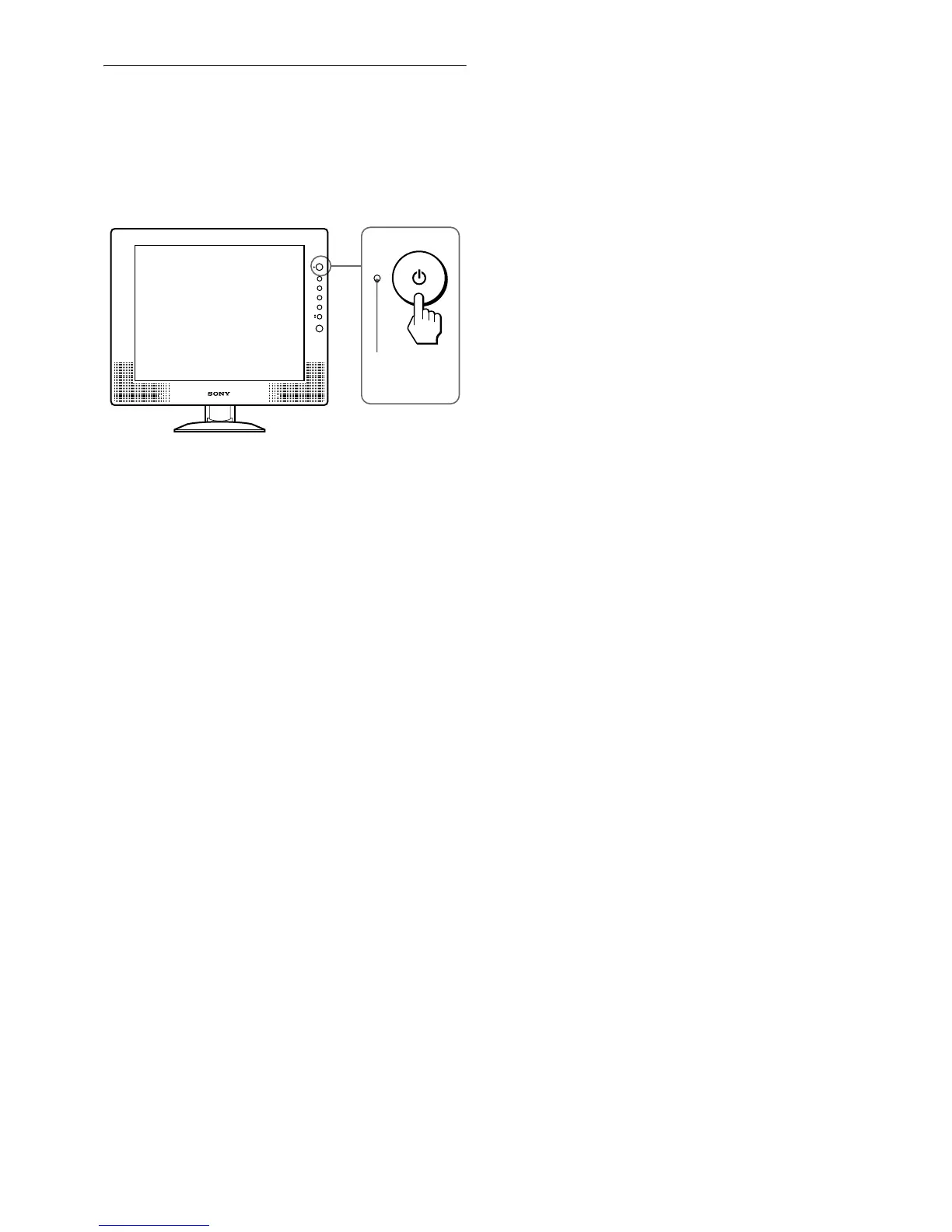
a problem with your monitor or computer(s), the screen will go
blank and the 1 (power) indicator will either light up green or
flash orange. If the 1 (power) indicator is lit in orange, the
computer is in power saving mode. Try pressing any key on the
keyboard or moving the mouse.
If the picture disappears from the screen and the
1 (power) indicator is green
1
Turn off the 1 (power) switch and disconnect the
video signal cables from the monitor.
2 Turn the monitor on by pressing the 1 (power)
switch.
If all four color bars appear (white, red, green, blue), the monitor
is working properly. Reconnect the video input cables and check
the condition of your computer(s).
If the color bars do not appear, there is a potential monitor failure.
Inform your authorized Sony dealer of the monitor’s condition.
If the 1 (power) indicator lights up in orange
Try pressing any key on the keyboard or moving the
mouse.
The computer’s power saving mode is awaked and the 1 (power)
indicator lights up in green, and the picture appears on the screen.
1 (power)
indicator



 To Next Page