EasyManua.ls Logo

Sony SEN-280 - Connections

Sony SEN-280
16 pages
Print Icon
To Next Page IconTo Next Page
To Previous Page IconTo Previous Page
Loading...
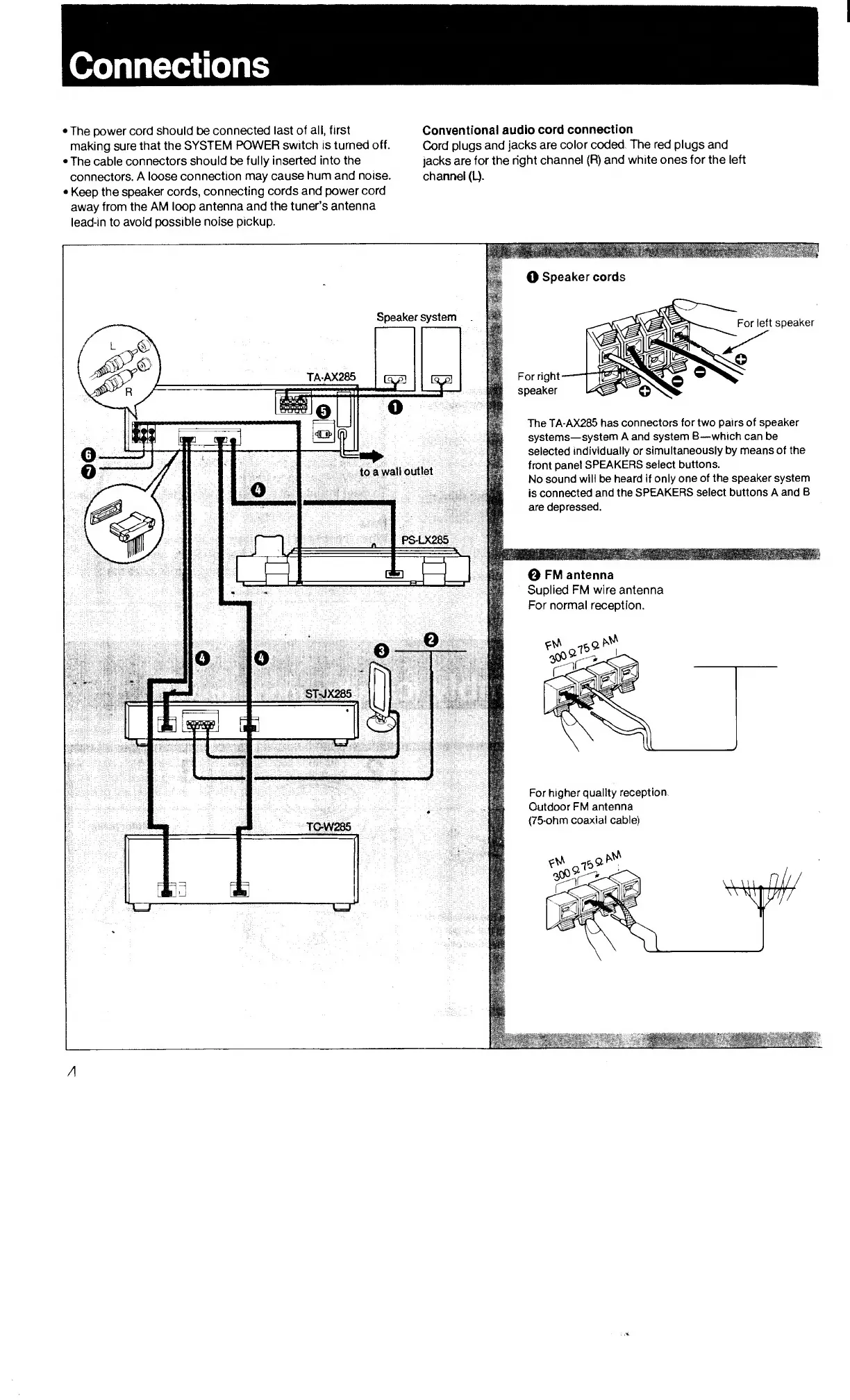
Connections
The
power
cord
should
be
connected
last
of
all,
first
making
sure
that
the
SYSTEM
POWER
switch
is
turned
off.
The
cable
connectors
should
be
fully
inserted
into
the
connectors.
A
loose
connection
may
cause
hum
and
noise.
Keep
the
speaker
cords,
connecting
cords
and
power
cord
away
from
the
AM
loop
antenna
and
the
tuner’s
antenna
lead-in
to
avoid
possible
noise
pickup.
Conventional
audio
cord
connection
Cord
plugs
and
jacks
are
color
coded.
The
red
plugs
and
jacks
are
for
the
right
channel
(R)
and
white
ones
for
the
left
channel
(L).
O
Speaker
cords
For
left
speaker
The
TA-AX285
has
connectors
for
two
pairs
of
speaker
systems—system
A
and
system
B—which
can
be
selected
individually
or
simultaneously
by
means
of
the
front
panel
SPEAKERS
select
buttons.
No
sound
will
be
heard
if
only
one
of
the
speaker
system
is
connected
and
the
SPEAKERS
select
buttons
A
and
B
are
depressed.
TAAX285

Related product manuals