EasyManua.ls Logo

Sony SEN-280 - Tape Playback (on Either Deck a or; Tape Recording (Deck

Sony SEN-280
16 pages
Print Icon
To Next Page IconTo Next Page
To Previous Page IconTo Previous Page
Loading...
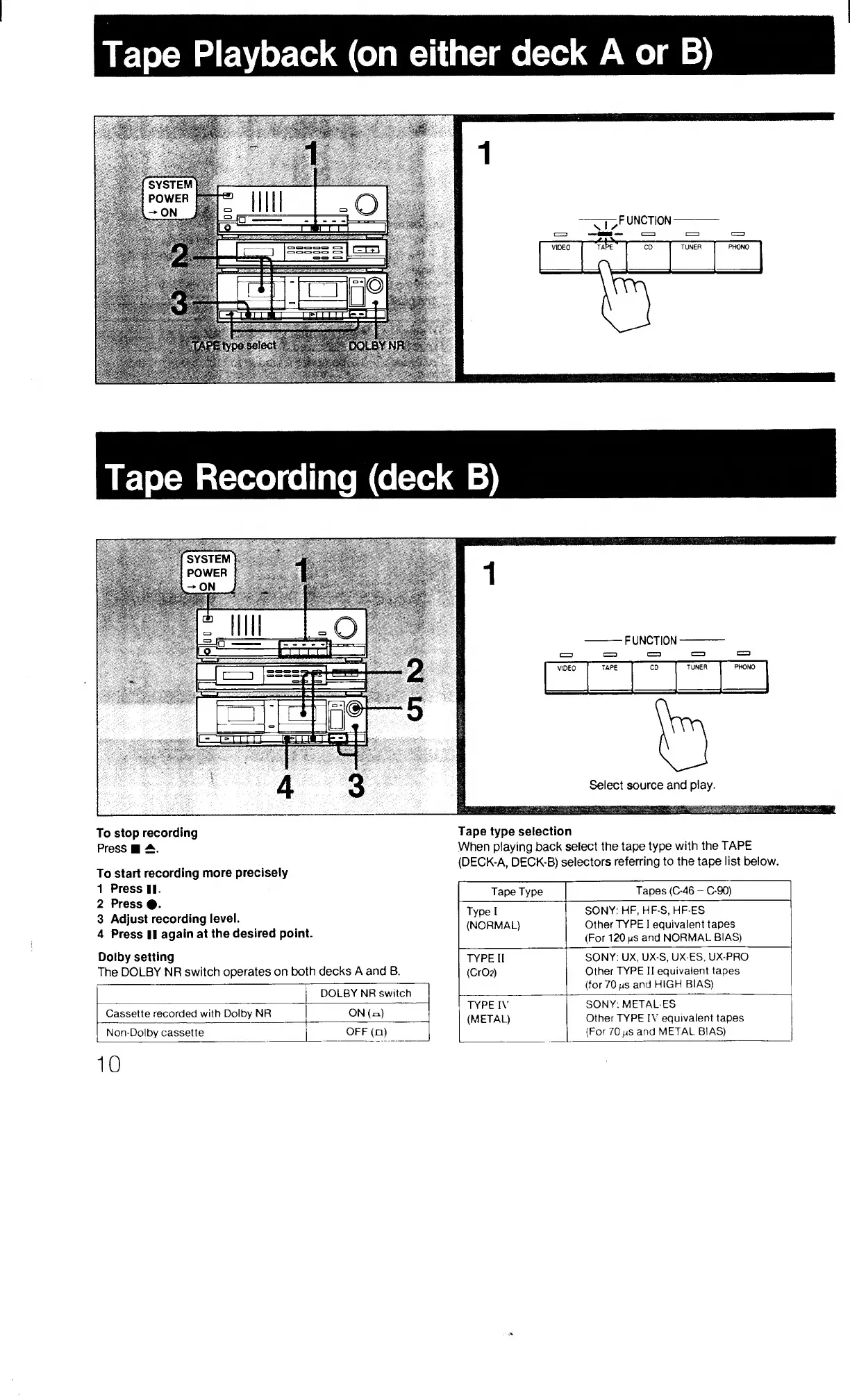
Tape
Playback
(on
either
deck
A
or
B)
UNCTION
VIDEO
CD
TUNER
PHONO
ii
Tape
Recording
(deck
B)
To
stop
recording
Press
To
start
recording
more
precisely
1
Press
II.
2
Press
#.
3
Adjust
recording
level.
4
Press
II
again
at
the
desired
point.
Dolby
setting
The
DOLBY
NR
switch
operates
on
both
decks
A
and
B.
DOLBY
NR
switch
Cassette
recorded
with
Dolby
NR
ON
(=.)
Non-Dolby
cassette
OFF(n)
Tape
type
selection
When
playing
back
select
the
tape
type
with
the
TAPE
(DECK-A,
DECK-B)
selectors
referring
to
the
tape
list
below.
Tape
Type
Tapes
(C-46
-
C-90)
Type
I
SONY:
HF,
HF-S,
HF-ES
(NORMAL)
Other
TYPE
I
equivalent
tapes
(For
120
US
and
NORMAL
BIAS)
TYPE
II
SONY:
UX,
UX-S,
UX-ES,
UX-PRO
(CrO?)
Other
TYPE
II
equivalent
tapes
(for
70MS
and
HIGH
BIAS)
TYPE
IV
SONY:
METAL-ES
(METAL)
Other
TYPE
IV
equivalent
tapes
(For
70
mS
and
METAL
BIAS)
10

Related product manuals