EasyManua.ls Logo

Sony SL-HF550 - Page 11

Sony SL-HF550
32 pages
Print Icon
To Next Page IconTo Next Page
To Previous Page IconTo Previous Page
Loading...
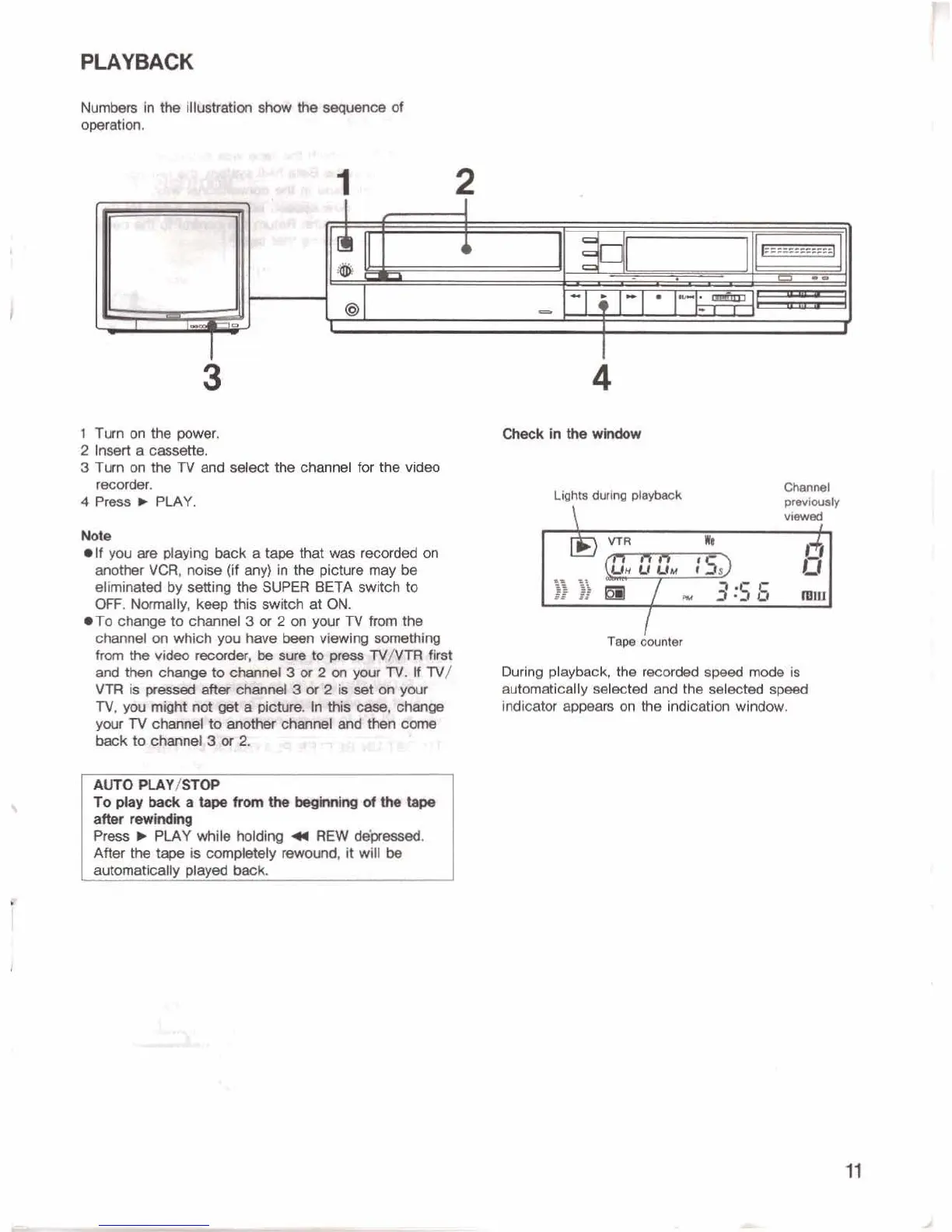
PLAYBACK
1
Tumontfieprxrer.
2
Insert
e
cmwtle.
3
Turn
on
the
TV
and
select
the
channel
for
the
videu
-.
4
Pms
b
PLAY.
mm
elf
youereplmng
bwkatawtktwas
recorded
on
another
VCR,
noise
(H
any)
in
the
picture
may
be
eliminated
by
setting
the
SUER
BETA
swrtcfi
to
OFF.
Nwmally,
keep
this
switch
at
ON.
*To
change
to
channel
3
or
2
on
your
TV
from
the
charmed
on
which
you
have
besn
Wng
mmthing
yoralv~~atrd~dlome
beck
t~
-ner,amz
ALCrO
PCAY/STOP
Toplayimckatapefrmhe~dW~
afser-
P~EJ
v
PLAY
while
holdinq
4
REW
-.
After
the
is
cwnpkbly
Am#Hnd,
it
will
be
-tally
played
-
Chanml
pmrl-b
viewed
I
Taw
wntw
During
playback,
the
rwwded
spd
mde
is
automatically
sel~ted
and
the
selected
sgmed
indicator
appm
on
the
indication
window.

Related product manuals