EasyManua.ls Logo

Sony SL-HF550 - Quick Timer Recording

Sony SL-HF550
32 pages
Print Icon
To Next Page IconTo Next Page
To Previous Page IconTo Previous Page
Loading...
QUICK
TIMER
RECORDING
Use
this
functian
to
-in
reeding
a
program
immediately.
You
can
start
timer recording
jmt
by
pressing
WICK
TIMER.
The
rearding
duation
can
b
set
for
up
b
5
hours
by
30
minutes.
You
can
also
use
thia
function
to
sop
tb
non-timer
Ming
by
p8mting
the
reoordlm
dumbl.
MakewreUWths-hm
1
Press
QUICK
TIMER.
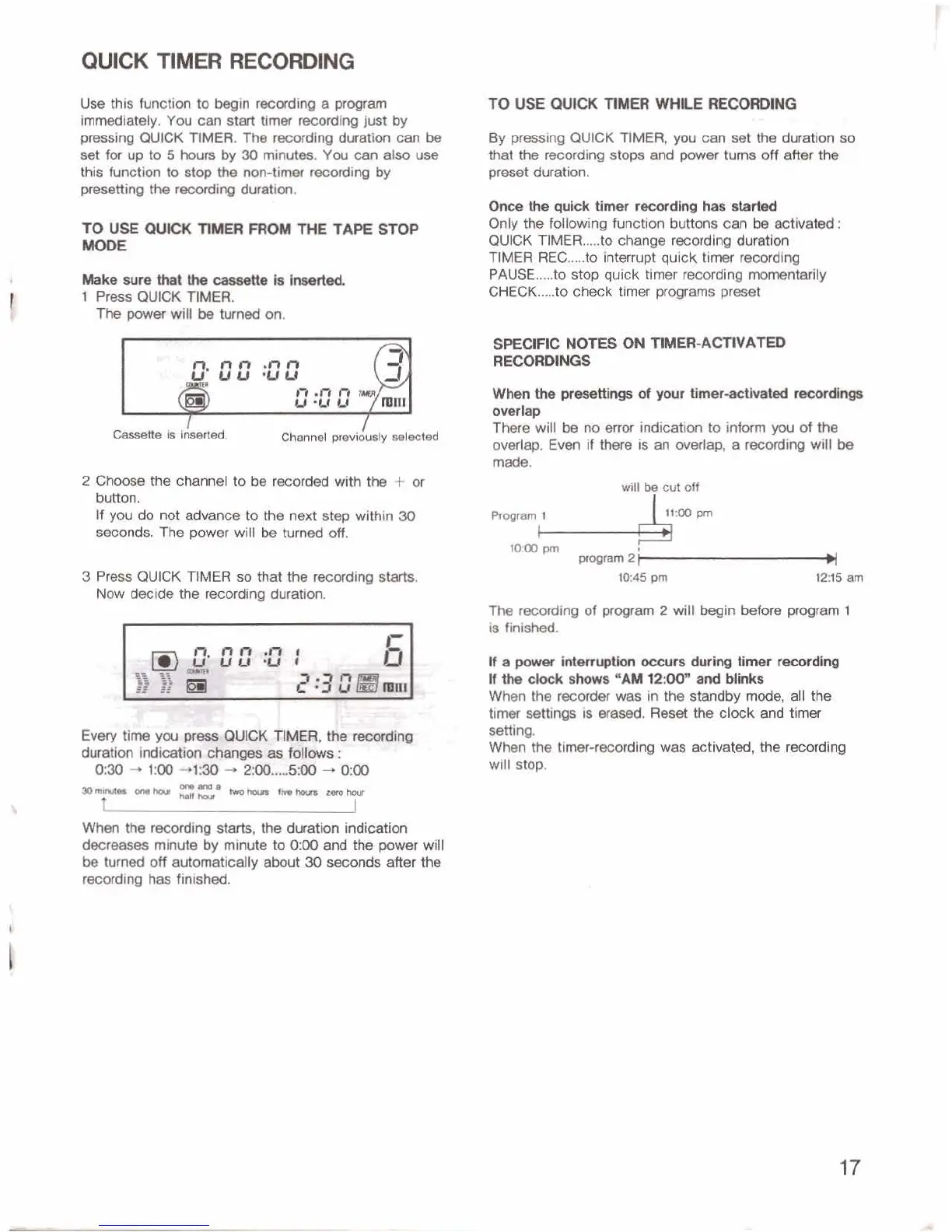
fhepwerwllltmtrmedon.
I
Channel
previously
aeleetd
2Choosethecfiannel
toberecwdedwitbthe
+or
button.
H
yw
do
not
advance
to
the
next
step
within
3Q
seoonds,
The
power
will
b
turned
off.
3
Press
QUICK
TIMER
so
that
the
recording
starts.
Now
decide
the
recording
duration.
By
ming
QUICK
TIMER,
you
can
set
the
duration
so
that
the
recording
stops
and
po~p~
turn
off
after
the
preset
duration.
Once~qulcktimer~dhrghasaarted
Only
the
fdlowin~
function
buttons
cm
be
activated
:
QUICK
TIMER
.....
to
change
recording
dwation
TIMER
REC
.....
to
interrupt
quick
timer
recwdlng
PAUSE
.....
to
stop
quick
timer
recording
momentarily
CHECK
.....
to
check
timer
programs
preset
SPECIFIC
NOTES
UN
TIM=-ACTIVAm
RE--
When
the
prrraettlngs
of
ywr
timer-advated
mm
owlap
There
will
be
no
erm
indicatim
to
inform
you
of
the
overlap.
Even
if
thm
is
an
overlap,
a
mading
will
be
made.
will
@
cut
off
The
recording
of
-am
2
will
begin
befare
prol;fam
1
is
finished.
UapwverMmWonoewrardukrgtirnerrecording
lfihsdodrdKrm"AMP:O[)"~bl~
When
the
recorder
was
In
the
standby
mode,
all
the
timer
mings
is
wased.
Re&
the
chk
and
iimr
setting.
Wkn
tho
timer-recordtng
was
ectivaterd,
lhe
recoPdlng
will
stop.
When
the
Wing
starts,
the
duration
indidon
decreases
minute
by
minute
to
0:00
and
the
power
wit
t
be
turned
off
eutomaticdly
abut
30
secomk
after
the
reoarding
has
finished.

Related product manuals