EasyManua.ls Logo

Sony SL-HF550 - Page 15

Sony SL-HF550
32 pages
Print Icon
To Next Page IconTo Next Page
To Previous Page IconTo Previous Page
Loading...
TIMER-ACTIVATED
RECORDING
Up
to
six
events
can
be
set
to
be
Fecwded
on
a
oerterhr
day
or
ewyky
within
seven
days,
w
on
the
cmme
day
every
week.
BEFORE
THE
Make
sure
that
the
clock
(day
and
time)
is
set
cwrectl
y
.
.&sure
sca~~ette
wlthasalietytab
is
inswkl
in
ths
cwnmment.
Check
with
the
indicatcx
in
the
window.
.Select
the
recording
tape
sped
Ckk
with
the
u
Wm
indicator
in
he
window.
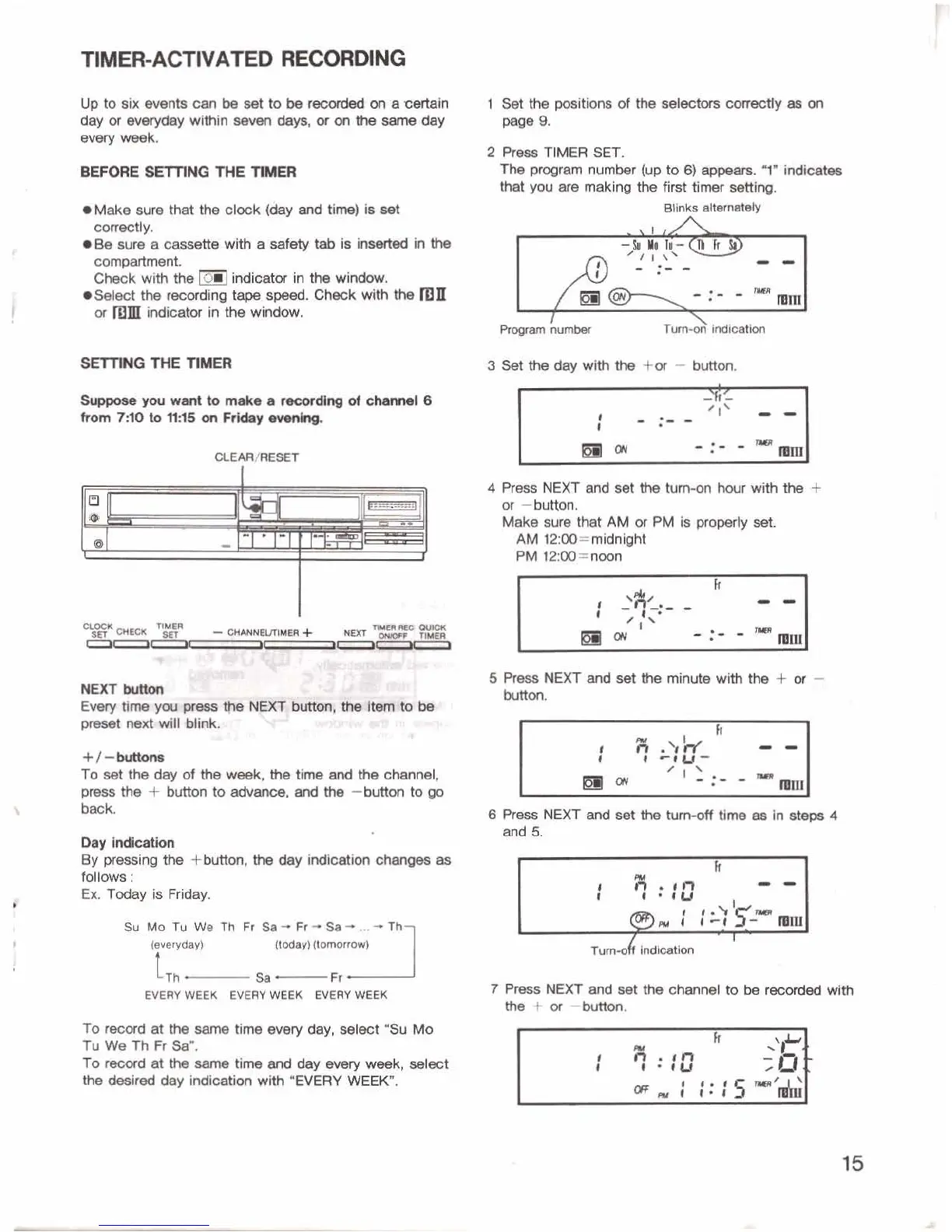
1
Set
the
positions
of
the
selectws
curd!^
as
on
pew
9.
2
Press
TIMER
SET.
The
-am
nurntw
(up
to
appa~.
7'
indm
that
yw
are
making
Me
fmt
timer
setting.
rnlnks
sm'nllbely
3
Set
the
day
with
the
+or
-
button.
4
Prm
NEXT
end
set
the
tum-on
hwr
with
the
+
w
-button.
We
sure
that
AM
w
PM
Is
property
set
AM
12:00=midnight
PM
12:00=noon
,
-
.
,,
.
';
"
NaCTkrtDar
Ew
*,m--m'
sm
.
-,
*-ba
..
htton.
5
Press
NEXT
and
set the
minute
with
the
+
or
-
pmW
nexbvdll
Mink
.
-
, ,
I
+/-krtaorw
To
set
the
day
of
the
W,
the
time
ad
the
channel,
press
the
f
button
to
adv-,
and
the
-button
to
go
back.
Day
lndlclatlon
By
presslng
fb
+button,
the
day
indication
6s
follows
:
Ex.
Tday
is
Friday.
(everyday)
(today)
(tomorrow)
Sa
-
Fr
EVERY
WEEK
EVERY
WEEK
EVERY
MEK
To
reoord
at
tb
same
tirm
every
day,
selset
"Su
Mo
Tu
We
Th
Fr
$au.
To
recard
at
the
time
and
day
every
week,
select
the
desired
day
indication
with
*EVERY
WEEK".
7
Press
NEXT
and
B&
the
channel
to
be
recwded
with
or-^.

Related product manuals