Getting Started32
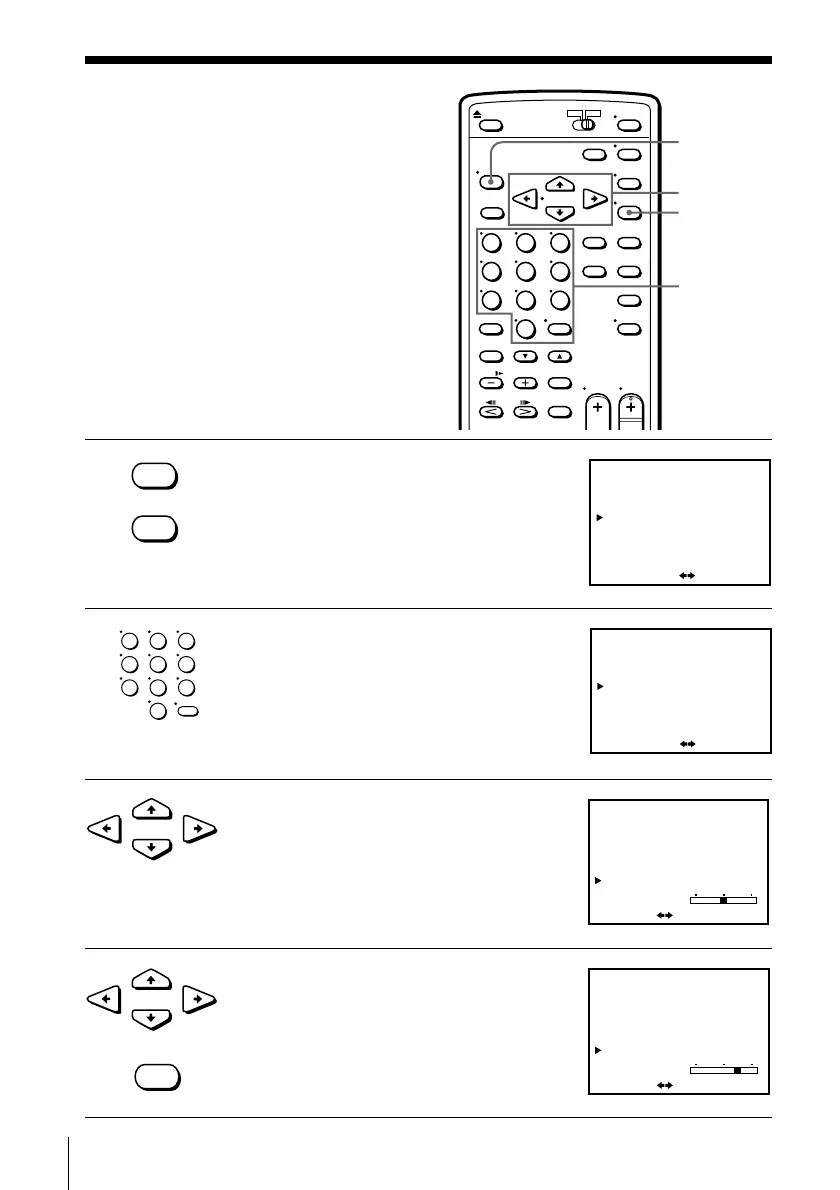
•MENU
EXECUTE
•EXECUTE
•EXECUTE
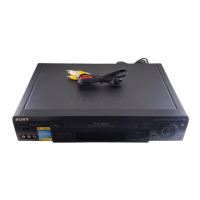
1 Press MENU and select TUNER PRESET,
then press EXECUTE.
2 Press the number buttons to select the
channel you want to fine-tune, then press
ENTER.
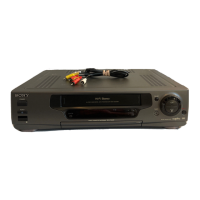
3 Press CURSOR >/. to select FINE
TUNING.
The fine tuning meter appears.
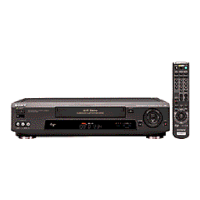
4 Press CURSOR ?// to adjust to a
clearer picture, then press EXECUTE.
Note that the AFT setting switches to OFF.
Presetting channels (continued)
If the picture is not clear
Normally, the Auto Fine Tuning (AFT)
function automatically tunes in channels
clearly. If, however, the picture of a
channel is not clear, you can also use the
manual tuning function.
TUNER PRESET
ANTENNA / CABLE
AUTO PRESET
MANUAL SET
CABLE
ON
•
•
ADD
SELECT CH
AFT
FINE TUNING
•
OFF
ERASE
ANT
ADD / ERASE
:
:[ ]
CH1
[ 0–9 ] , [ ENTER ]
TUNER PRESET
ANTENNA / CABLE
AUTO PRESET
MANUAL SET
CABLE
ON
•
•
ADD
SELECT CH
AFT
FINE TUNING
•
OFF
ERASE
ANT
ADD / ERASE
:
:[ ]
CH5
[ 0–9 ] , [ ENTER ]
TUNER PRESET
ANTENNA / CABLE
AUTO PRESET
MANUAL SET
AFT
FINE TUNING
CABLE
ON
•
•
ADD•
OFF
ERASE
ANT
SET : [
]
CH5
TUNER PRESET
ANTENNA / CABLE
AUTO PRESET
MANUAL SET
AFT
FINE TUNING
CABLE
ON
•
ADD•
OFF
ERASE
ANT
:[
]
CH5
•
SET
MENU
CURSOR
Number
buttons,
ENTER
•CURSOR
•CURSOR
123
456
789
0


 To Next Page