Basic Operations44
TIMER SET / CHECK
DATE
WED
61/0
START STOP CH
–
/
–– –
:
–– –
:
–– –– –
–
/
–– –
:
–– –
:
–– –– –
–
/
–– –
:
–– –
:
–– –– –
–
/
–– –
:
–– –
:
–– –– –
–
/
–– –
:
–– –
:
–– –– –
–
/
–– –
:
–– –
:
–– –– –
–
/
–– –
:
–– –
:
–– –– –
–
/
–– –
:
–– –
:
–– –– –
1
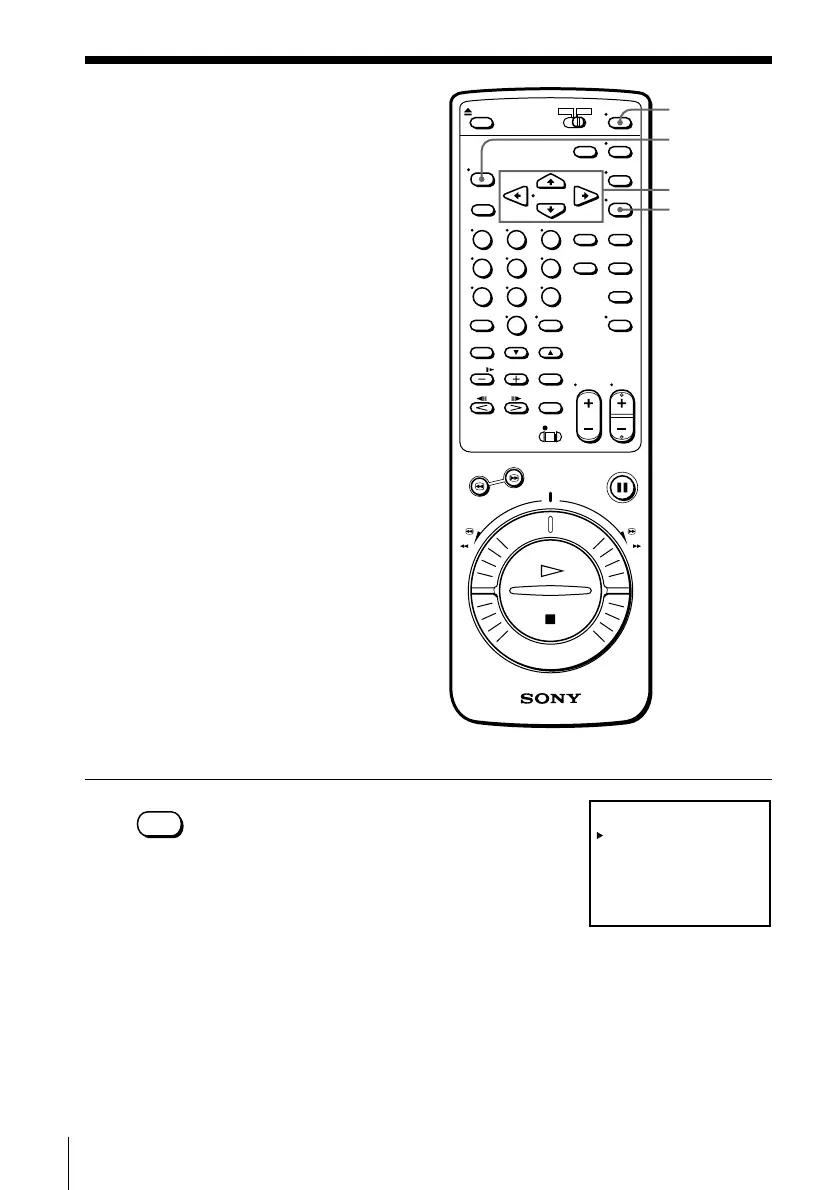
1 Press MENU and select TIMER SET/
CHECK.
•MENU
Setting the timer
manually
If VCR Plus+ is not available in your
area, follow the instructions below to set
the timer to record programs.
Before you start…
• Check that the VCR clock is set to the
correct time.
• Turn on your TV and set it to the
video channel. When using a cable
box, turn it on.
• Insert a tape with its safety tab in
place. Make sure the tape is longer
than the total recording time.
MENU
POWER
CURSOR
EXECUTE



 To Next Page