63
Using the DVD’s menu
DVD Additional Operations
DVD Additional Operations
Using the DVD’s menu
A DVD is divided into long sections of a
picture or a music feature called “titles.”
When you play a DVD which contains
several titles, you can select the title you
want using the TOP MENU button.
When you play DVDs that allow you to
select items such as the language for the
subtitles and the language for the sound,
select these items using the MENU button.
1
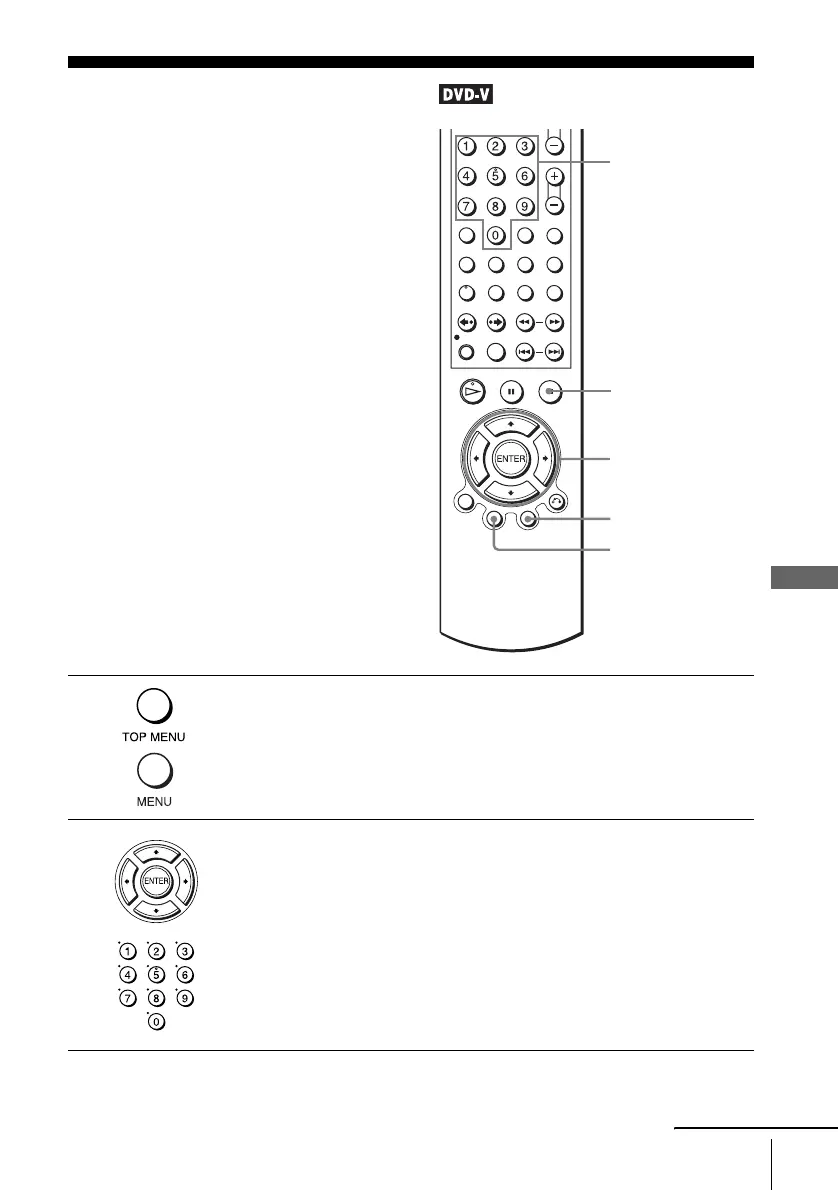
Press TOP MENU or MENU.
The disc’s menu appears on the TV screen.
The contents of the menu vary from disc to disc.
2
Press V/v/B/b to select the item you want to play or change.
You can also use the number buttons to select the item. In this case, step 3
is skipped.
Number
buttons
V/v/B/b
ENTER
MENU
TOP
MENU
x STOP
continued



 To Next Page