Additional Operations 17
EN
SLV-P55EE/PH77EE 3-858-675-11 (2)
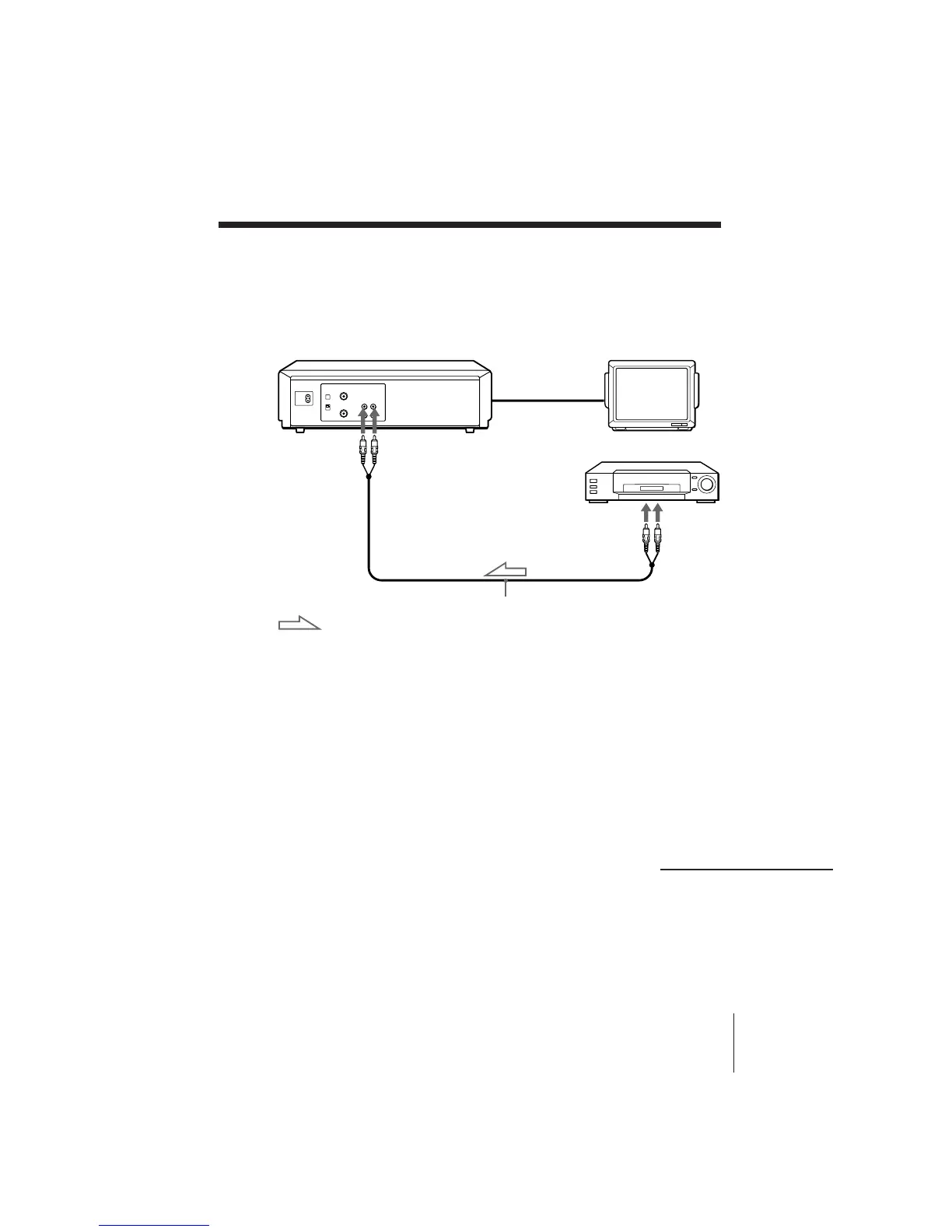
TV
Other VCR (Player)
Tips
• (SLV-P55EE only)
If the other VCR has the AUDIO L and R jacks, use a commercially available
connecting cable like the Sony VMC-910MS.
• (SLV-PH77EE only)
Use a commercially available connecting cable like the Sony VMC-810. If the other
VCR is a monaural type, use a connecting cable like the Sony VMC-910MS.
Notes
• Make sure you connect the plugs to jacks of the same colour.
• When connecting the units, do not simultaneously connect the LINE IN and LINE
OUT jacks on your VCR with the other VCR. A humming noise may occur if you
do this.
audio/video cable (not supplied)
LINE OUT
LINE IN
: Signal flow
continued
Editing with another VCR
How to connect to record on this VCR
This VCR (Recorder)



 To Next Page