Before downloading applications from Android Market™, make sure you have an Internet
connection and a Google™ account. You may also need to have a memory card
inserted in your phone.
Android Market™ is not available in all countries or regions. Additional charges may apply for
data transmission. Contact your service provider for information.
To install the LiveWare™ manager application
1
From your phone's main application menu, find and tap Market to open the
Android Market™ application.
2
Tap the search icon at the top right corner and enter "liveware manager" in the
search field, then tap the search icon.
3
Tap LiveWare™ manager.
4
Tap the Download button, then tap Accept & Download.
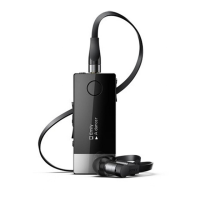
To install the Smart Wireless Headset pro application
1
Make sure you have LiveWare™ manager installed on your phone.
2
Pair the headset with your phone.
3
Follow the instructions that appear on your phone display to install the Smart
Wireless Headset pro application.
12
This is an Internet version of this publication. © Print only for private use.


 To Next Page