Transferring your music files
Transferring music files using a file explorer application
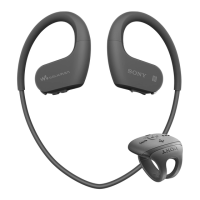
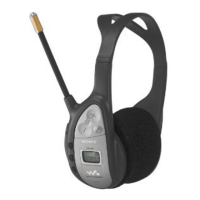
You can use a file explorer application on a computer, for example, Windows Explorer, to
transfer music files from the computer to the memory card in your headset. Once you've
transferred some content, you can start using the headset as a portable MP3 player.
To transfer music files to the headset
1
Headset: Make sure you have a microSD™ card in your headset, then connect
your headset to a computer using the USB cable.
2
Computer: Use a file manager application, for example, Windows Explorer, to
drag and drop content from the computer to your memory card.
The headset supports microSD™ cards of up to 32 GB.
Transferring music files using Media Go™
The Media Go™ computer application helps you transfer and manage media content in
your headset and computer. You can install and access Media Go™ from within the PC
Companion application.
You need one of these operating systems to use the Media Go™ application:
•
Microsoft® Windows® 7
•
Microsoft® Windows Vista®
•
Microsoft® Windows® XP, Service Pack 3 or higher
To transfer music files with Media Go™
1
Computer: Run the PC Companion application. In PC Companion, click Media
Go to start the Media Go™ application. In some cases, you have to wait for
Media Go™ to install.
2
Connect your headset to the computer using a supported USB cable.
3
Headset: When Transfer files? appears on the display, press the Next key or
the Previous key to select , then press the Select key to enable file
transfer mode.
4
Computer: Wait until the headset appears on the Media Go™ interface, then use
the Media Go™ interface to drag and drop files between your computer and
headset.
For more information, see http://mediago.sony.com
17
This is an Internet version of this publication. © Print only for private use.


 To Next Page