EasyManua.ls Logo

Sony SRF-M903 - General; Front Panel

Sony SRF-M903
5 pages
Print Icon
To Next Page IconTo Next Page
To Previous Page IconTo Previous Page
Loading...
SRF-M903
SECTION
1
GENERAL
This
section
is
extracted
from
instruction
manual.
|
Mover:
|
i(e)a
Mme)
Mm
@xe)alice)
|
an
pa
me
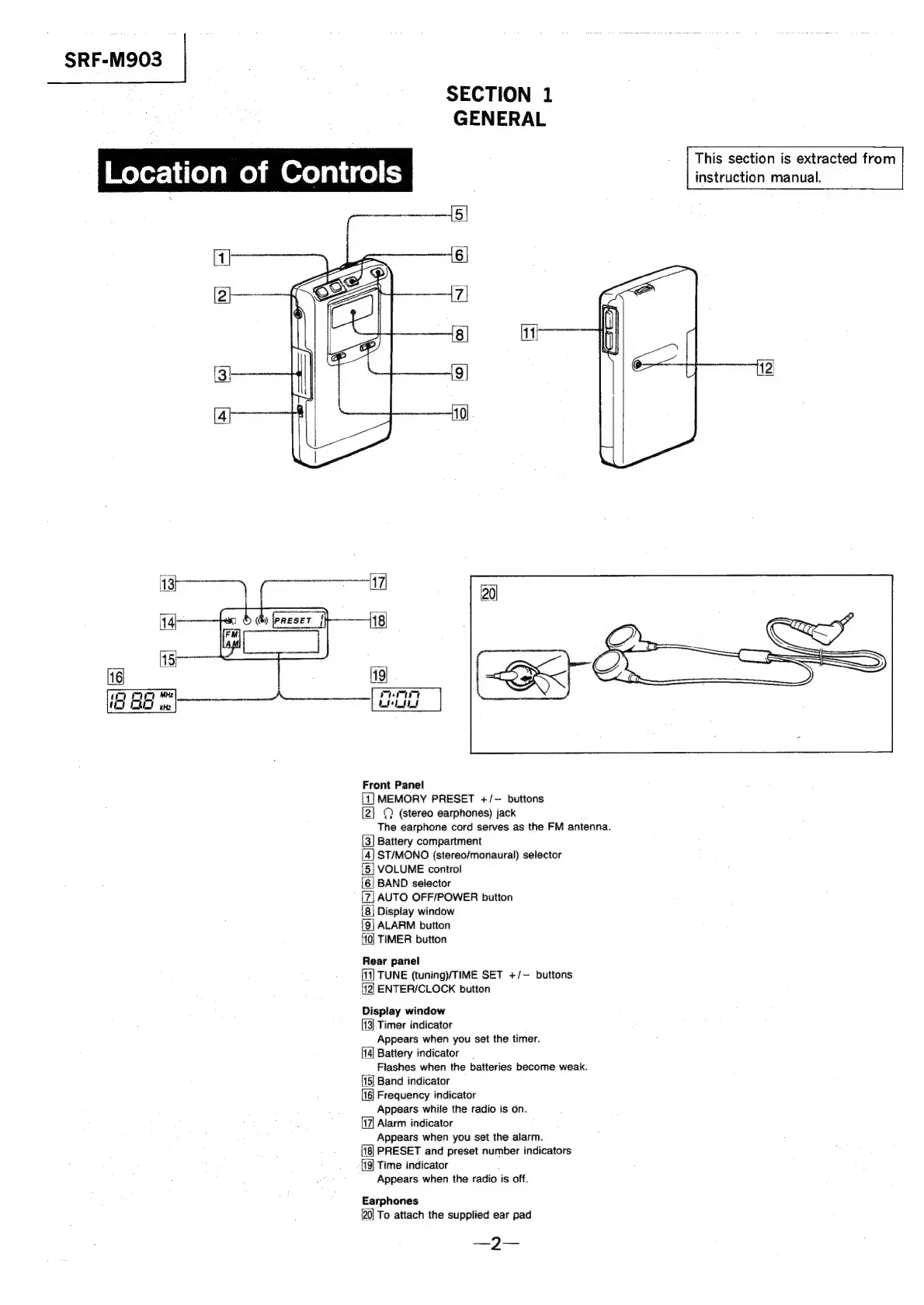
Front
Panel
1]
MEMORY
PRESET
+/-
buttons
[2]
©
(stereo
earphones)
jack
The
earphone
cord
serves
as
the
FM
antenna.
Battery
compartment
ST/MONO
(stereo/monaural)
selector
VOLUME
control
BAND
selector
AUTO
OFF/POWER
button
Display
window
ALARM
button
TIMER
button
BlelelNicle|eie
lear
panel
11]
TUNE
(tuning/TIME
SET
+/—
buttons
ENTER/CLOCK
button
[=
Display
window
13}
Timer
indicator
Appears
when
you
set
the
timer.
114)
Battery
indicator
Flashes
when
the
batteries
become
weak.
15]
Band
indicator
16}
Frequency
indicator
Appears
while
the
radio
is
on.
17|
Alarm
indicator
Appears
when
you
set
the
alarm.
PRESET
and
preset
number
indicators
Time
indicator
Appears
when
the
radio
is
off.
Earphones
20}
To
attach
the
supplied
ear
pad
—2—

Related product manuals