5
GB
1 Connect a TV monitor to this
receiver.
Refer to “3: Connecting the monitor” on
the operating instructions.
2 Turn on the receiver and the TV.
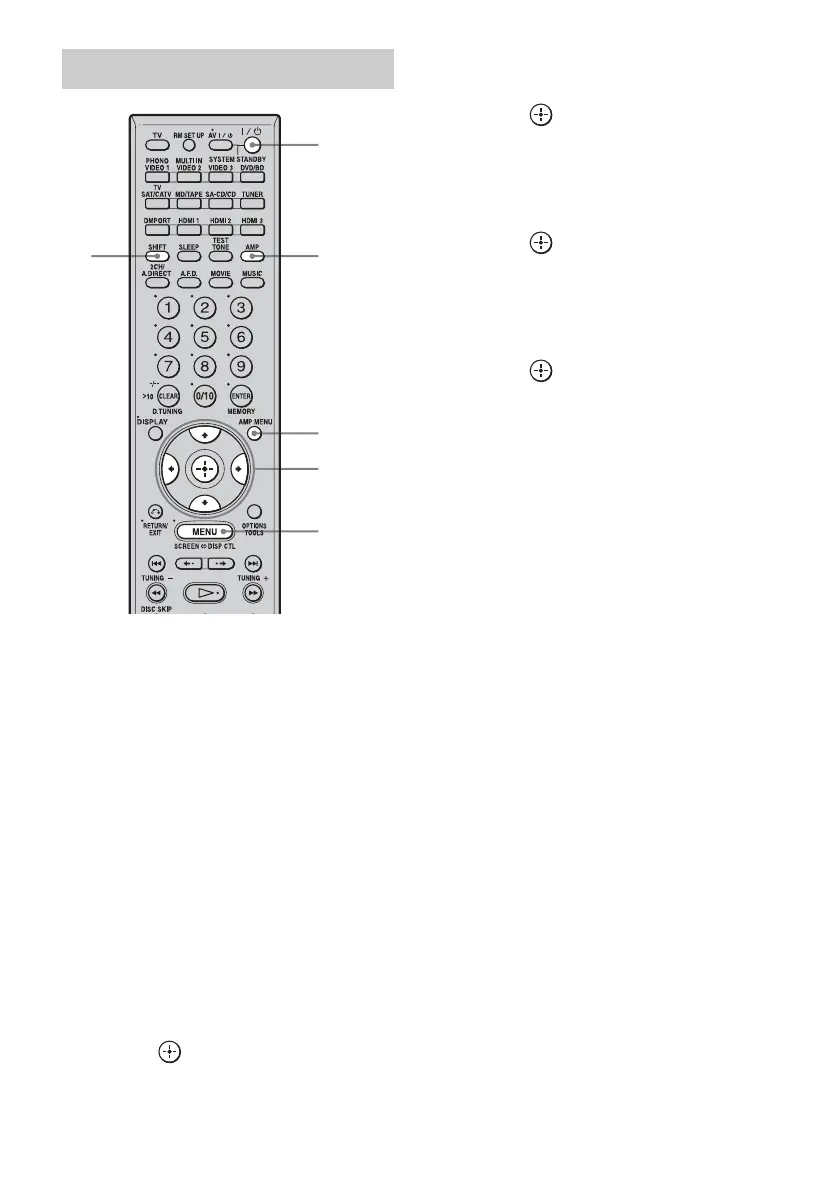
3 Press AMP to enable receiver
operation.
4 Press SHIFT and then MENU.
The menu list of this receiver appears on
the TV screen. Press AMP MENU if the
menu list does not appear on the TV
screen.
5 Press V/v repeatedly to select
“Settings.”
6 Press or b to enter the
menu.
7 Press V/v repeatedly to select
“HDMI.”
8 Press or b to enter the
menu.
9 Press V/v repeatedly to select
“HDMI Control.”
10Press or b to enter the
menu.
11Press V/v repeatedly to select
“ON.”
12Press to decide.
HDMI CONTROL function is activated.
Note
The location, label of the remote will vary according
to models and areas.
To set HDMI CONTROL
34
2
AMP
MENU
5-12
4












 To Next Page