
 Need help?
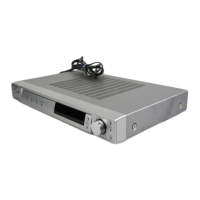
Do you have a question about the Sony STR-SE501 Operating Instructions (Receiver) and is the answer not in the manual?
Essential warnings to prevent fire, shock, and damage to the unit.
Guidelines for safe operation, power sources, placement, and cleaning procedures.
Explains manual conventions, icons, and differences between STR-DE545, STR-DE445, and STR-SE501.
How to activate, cancel, and view the receiver's demonstration mode.
Check received items, insert batteries, and prepare for connections.
Instructions for connecting FM and AM antennas.
Guide to connecting audio sources like CD players and tape decks.
Instructions for connecting video sources like VCRs and tuners.
Connecting digital audio sources like DVD players and satellite tuners.
Connecting multi-channel audio sources via 5.1CH inputs.
Covers additional connection types not specified elsewhere.
Details on CONTROL A1 II, AC power, AUX, and Voltage Selector connections.
Connecting front, rear, center speakers, and subwoofer.
Setting impedance and avoiding speaker short-circuits.
Clearing memory and initial system configuration.
Configuring speaker sizes, distances, and positions for surround sound.
Using test tone and remote to balance speaker volumes.
Final checks before operating the receiver.
Resolving common problems like no sound or unbalanced audio.
Overview and function of front panel controls and buttons.
INPUT MODE, 5.1CH, SPEAKERS selector, and PHONES jack.
Buttons for display, sound fields, and indicators.
Buttons for tone, bass boost, surround, and tuner operations.
Buttons for system setup, naming sources, and jog dial operation.
Choosing pre-programmed sound modes for immersive audio.
Details on various sound fields like Cinema Studio and Virtual.
Adjusting surround parameters like effect level, wall type, and reverberation.
Fine-tuning speaker volumes, balance, and LFE mix levels.
Adjusting dynamic range and tone for optimal sound.
Restoring sound fields to factory default settings.
Methods for tuning: Direct, Automatic, and Preset.
Steps to store, scan, and tune preset radio stations.
Explains buttons for tuner operations and remote functions.
Creating custom names for stations and sources.
Recording audio to tape/MD and video to tape.
Setting the receiver to turn off automatically.
Selecting 5.1CH video input via the setup menu.
Resolving problems with no sound, low sound, or unbalanced audio.
Addressing hum, noise, and specific speaker sound problems.
Troubleshooting issues with recording and radio tuning.
Resolving issues with the remote control and display.
Technical details on amplifier power, frequency response, and I/O specs.
Technical details for FM/AM tuners and video sections.
Overall system specs, power requirements, and dimensions.
Definitions of surround sound concepts like Dolby Digital and DCS.
Overview of adjustable parameters for various sound fields.
Detailed functions of buttons on the STR-DE445 remote.
Changing factory assignments of remote function buttons.
Returning remote button assignments to factory defaults.
 General
| Brand | Sony |
|---|---|
| Model | STR-SE501 Operating Instructions (Receiver) |
| Category | Stereo Receiver |
| Language | English |










 To Next Page