EasyManua.ls Logo

Sony STR-D965 - Recording on a Video Tape; Using the Sleep Timer

Sony STR-D965
28 pages
Print Icon
To Next Page IconTo Next Page
To Previous Page IconTo Previous Page
Loading...
14
Receiver
Operations
Recording
on
a
video
tape
You
can
record
froma
VCR,
a
TV,
ora
LD
player
using
the
receiver.
You
can
also
add
audio
from
a
variety
of
audio
sources
when
editing
a
video
tape.
See
your
VCR
or
LD
player’s
instruction
manual
if
you
need
help.
1
Press
one
of
the
function
buttons
to
select
the
program
source
to
be
recorded.
2
Set
the
component
to
be
ready
for
playing.
For
example,
insert
the
laser
disc
you
want
to
record
from
into
the
LD
player.
3
Insert
a
blank
video
tape
into
the
VCR
(VIDEO
1
or
VIDEO
2)
for
recording.
4
Start
recording
on
the
recording
VCR
and
then
start
playing
the
video
tape
or
laser
disc
you
want
to
record.
‘CY
You
can
replace
audio
while
copying
a
video
tape
or
laser
disc
At
the
point
you
want
to
start
adding
different
sound,
press
another
function
button
(for
example,
CD)
and
start
playback.
The
sound
from
the
selected
component
will
be
recorded
over
the
original
audio.
To
resume
recording
the
sound
of
the
original
playback
source,
press
the
function
button
for
that
component.
Using
the
Sleep
Timer
You
can
set
the
receiver
to
turn
off
automatically
ata
time
you
specify.
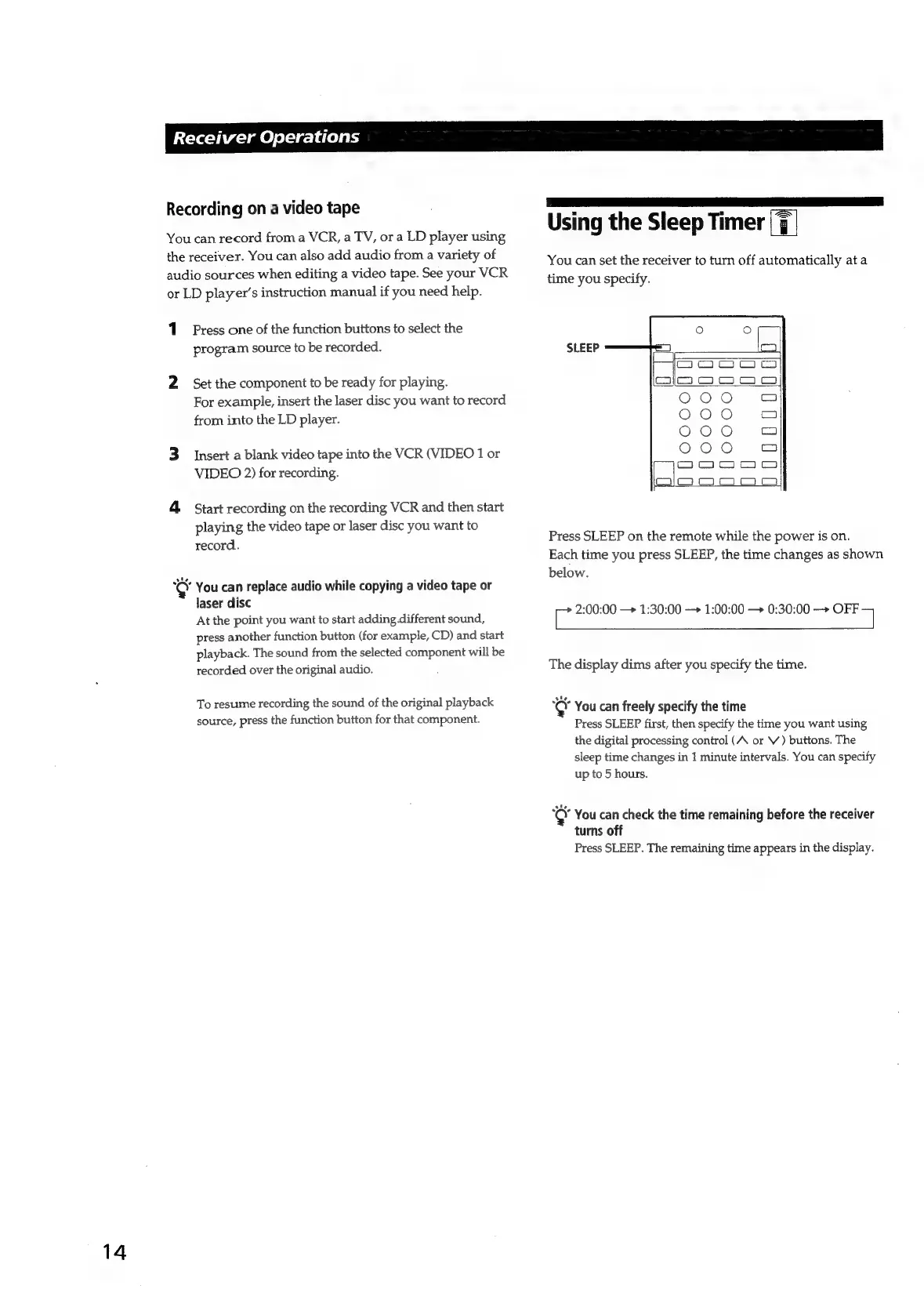
SLEEP
co
J
U
U
J
U
Press
SLEEP
on
the
remote
while
the
power
is
on.
Each
time
you
press
SLEEP,
the
time
changes
as
shown
below.
2:00:00
1:30:00
1:00:00
0:30:00
—+>
OFF
The
display
dims
after
you
specify
the
time.
1:
You
can
freely
specify
the
time
Press
SLEEP
first,
then
specify
the
time
you
want
using
the
digital
processing
control
(A
or
V
)
buttons.
The
sleep
time
changes
in
1
minute
intervals.
You
can
specify
up
to
5
hours.
‘CO’
You
can
check
the
time
remaining
before
the
receiver
turns
off
Press
SLEEP.
The
remaining
time
appears
in
the
display.

Related product manuals