08HA004 5 / 7
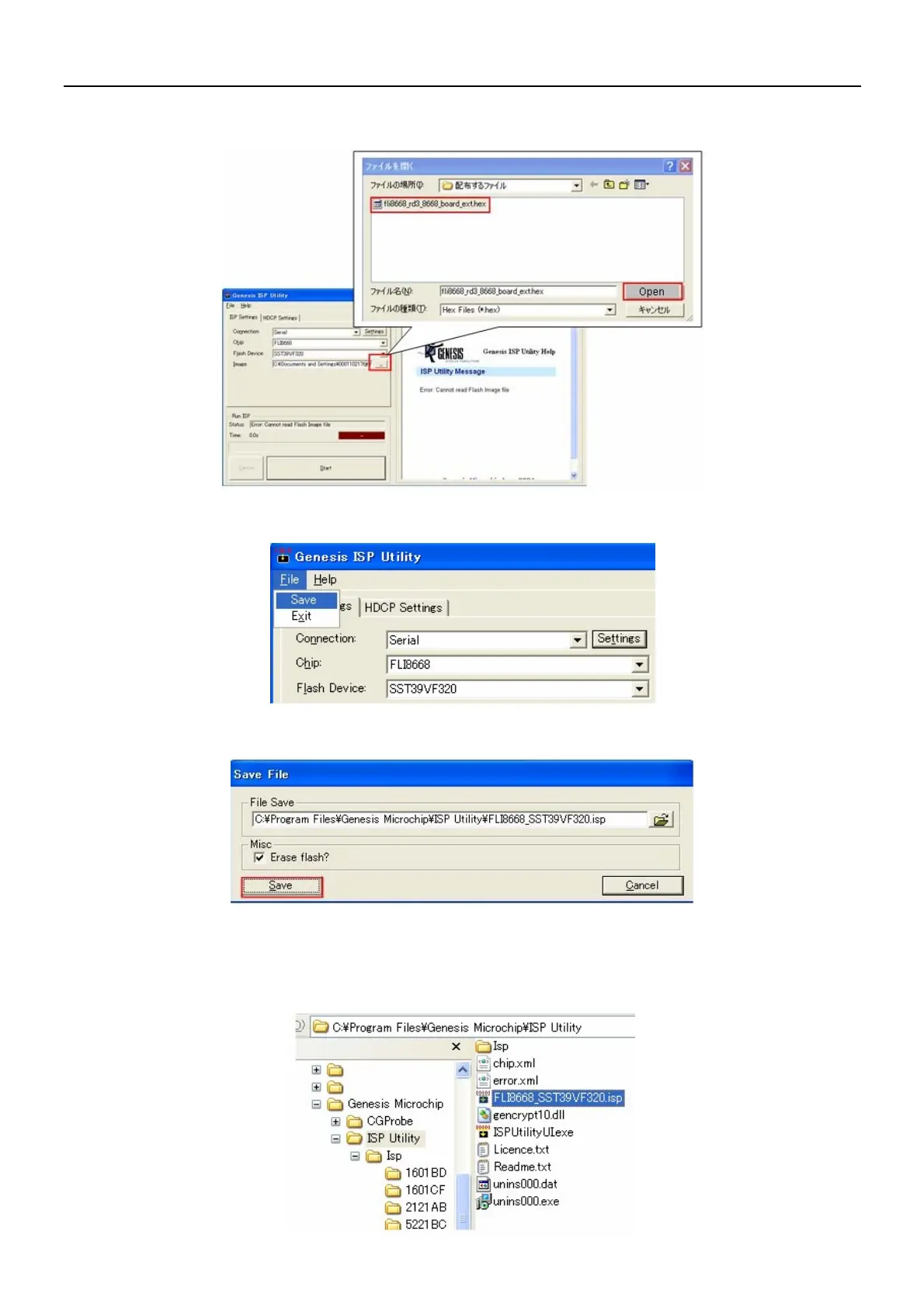
3-4-3. Click [Image], and select and open the program file (fli8668_rd3_8668_board_ext.hex) file from the
dedicated folder.
3-4-4. When the Flash Writer setting is completed, in the “File menu” click [Save].
3-4-5. When the [Save File] window is displayed, click the [Save] button, and save as an “.isp” file.
3-5. Implementation and completing of overwriting
3-5-1. Subsequently open the PC folders [C drive] → [Program File] → [Genesis Microchip] → [ISP Utility], and
double-click [FLI8668_SST39VF320.isp].

















 To Next Page