66
US
C:\Documents and
Settings\pc13\Desktop\JC060000_2662260114DG600_US\2662260116\US06ENJ_STR-DG600-
U.fm
masterpage: Left
STR-DG600
2-662-260-11 (6)
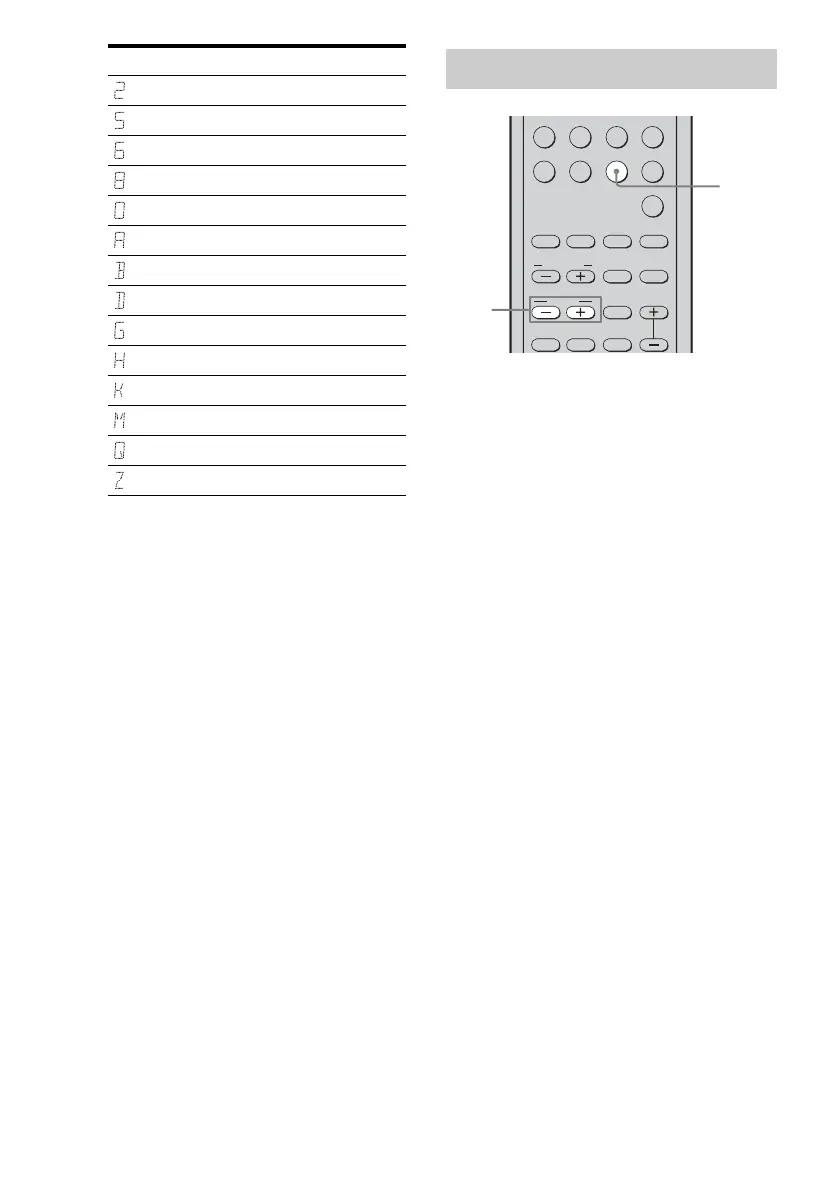
1 Press TUNER repeatedly to
select “XM RADIO”.
You can also use INPUT SELECTOR on
the receiver.
2 Press TUNING + or TUNING – to
select a channel.
You can also press TUNING MODE on
the receiver to select “AUTO T.”, and then
turn TUNING +/– to select a channel.
Display Description
2 (two)
5 (five)
6 (six)
8 (eight)
0 (zero)
A
B
D
G
H
K
M
Q
Z
Receiving XM Radio broadcasts
.
>
VIDEO1 VIDEO2 VIDEO3 DVD
MD/TAPE SA-CD/CD TUNER
AUX
MULTI CH
2CH
A.F.D.
123
456
789
MOVIE
SUBTITLEMEMORY ENTER
MUSIC
AUDIO
ANGLE
TUNING
JUMP/
TIME
PRESET/
CH/D.SKIP
CATEGORY
MODE
DUAL
MONO
CATEGORY
1
2
US01COV_STR-DG600-U.book Page 66 Thursday, March 16, 2006 11:32 AM



 To Next Page