30
GB
D:\NORM'S JOB\SONY HA\SO17_STR-DH190_PMRF1\STR-DH190 (PMRF
01)\4726907121_GB\070ADD.fm
masterpage: Left
STR-DH190
4-726-907-12(1)
• You can select the character type as
follows by pressing / .
Alphabet (upper case) Numbers
Symbols
• To enter a blank space, press without
selecting a character.
If you made a mistake
Press / until the character you want
to change flashes, then press / to
select the correct character.
5 Press .
The name you entered is registered.
(European and Asia-Pacific models only)
When you name an RDS (Radio Data System)
station and tune to that station, the Program
Service name appears instead of the name you
entered.
Viewing Information on
the Display Panel
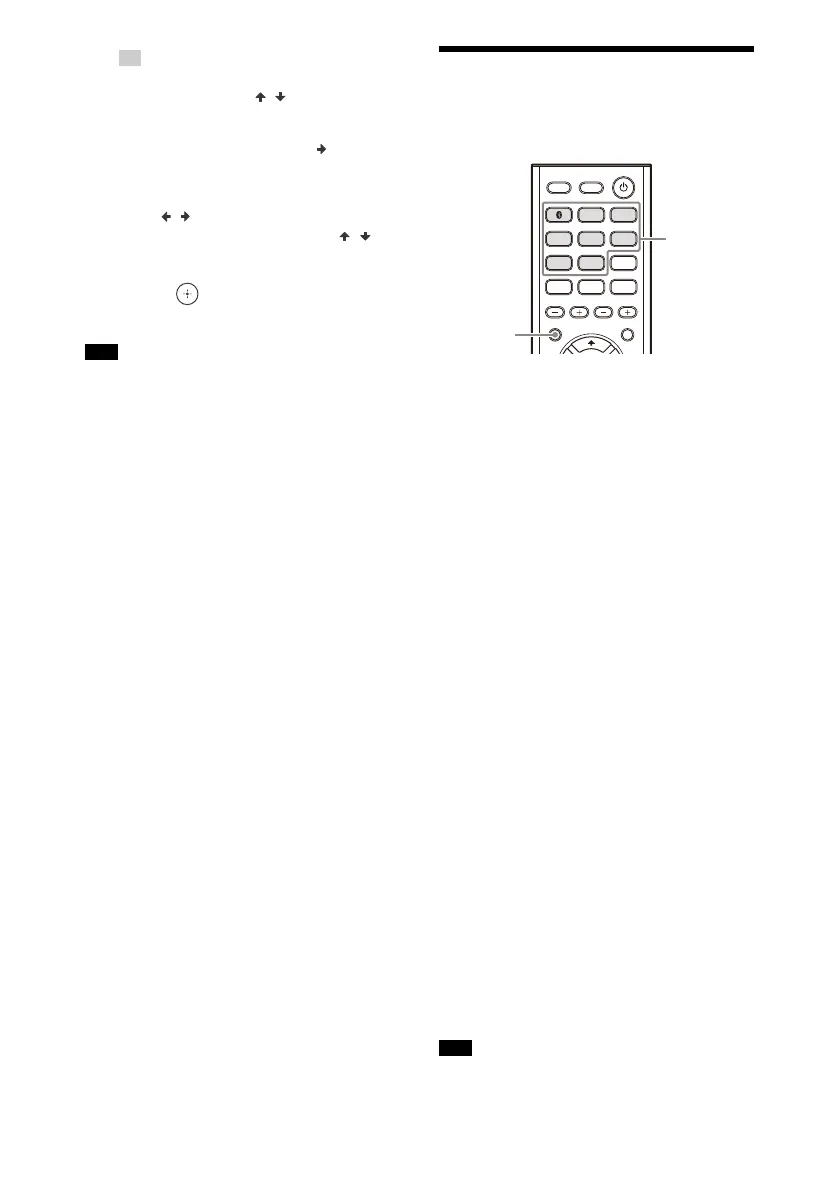
1 Press the corresponding
input button which you want
to check the information.
2 Press DISPLAY repeatedly.
Each time you press the button, the
display changes cyclically as follows.
Index name of the input* Selected
input Volume level
When listening to FM radio
Preset station name* Frequency,
band and preset number Volume
level
When receiving RDS broadcasts
(European and Asia-Pacific
models only)
Program Service name or preset
station name* Frequency, band and
preset number Volume level
When connecting to a
BLUETOOTH device
BLUETOOTH device name
BLUETOOTH MAC address Volume
level “BLUETOOTH”
* Index name appears only when you have
assigned one to the input or preset station
(page 29). Index name does not appear
when only blank spaces have been
entered, or it is the same as the input
name.
Character or marks may not be displayed for
some languages.
Tip
Note
Note


 To Next Page