40
GB
D:\NORM'S JOB\SONY HA\SO0190\STR-DH730_DH830_PMRF
01\4408151112_GB\GB04GET_STR-DH730-CEL.fm
masterpage: Left
STR-DH830/STR-DH730
4-408-151-11(2)
Playing an input source
equipment
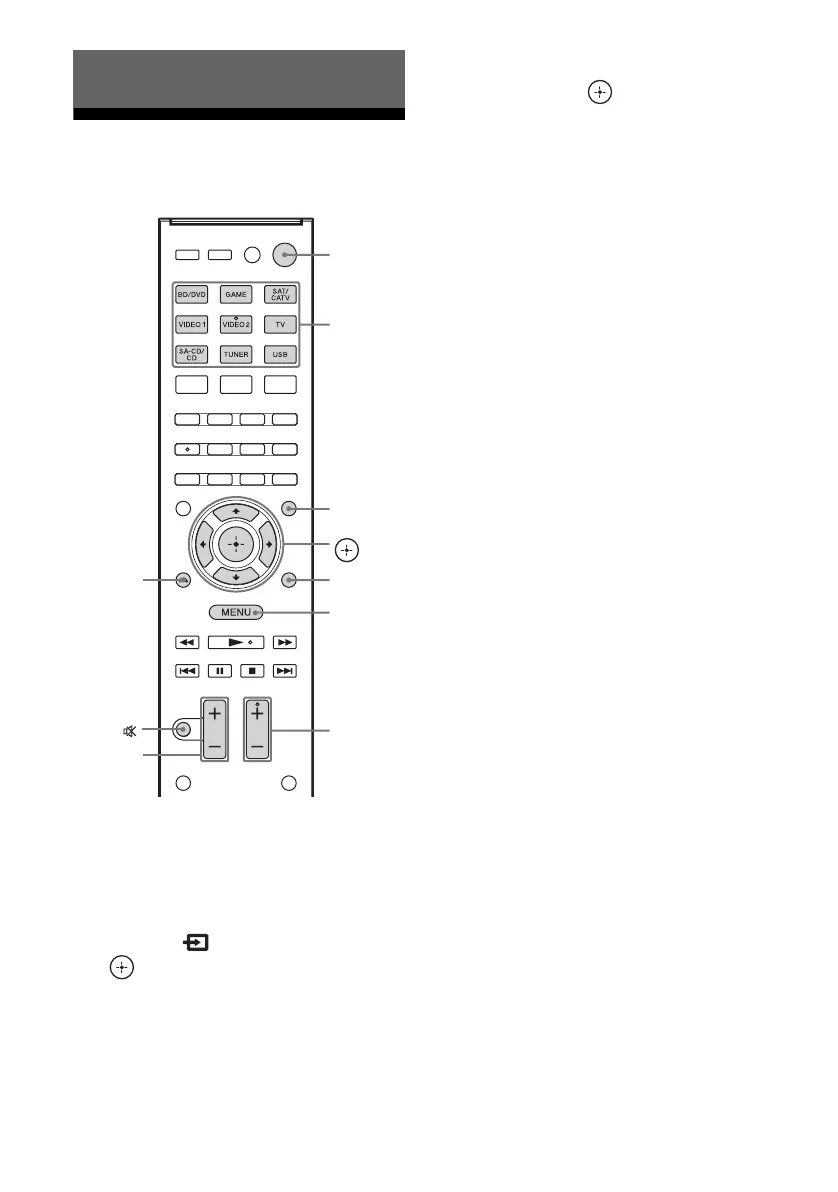
1
Press GUI MODE.
Press MENU if the GUI menu does not
appear on the TV screen.
2 Select “ Input”, then press
or b.
The menu item list appears on the TV
screen.
3 Select the equipment you want,
then press .
The menu screen disappears and the
playback screen of the external input
appears.
The input that can be selected:
• BD/DVD: Blu-ray Disc player or DVD
player, etc., connected to the BD/DVD
jack.
•GAME: PlayStation 3, etc., connected
to the GAME jack.
• SAT/CATV: Satellite tuner, etc.,
connected to the SAT/CATV jack.
• VIDEO 1, VIDEO 2: VCR, etc.,
connected to the VIDEO 1 or VIDEO 2
jack.
• TV: TV connected to the TV jack.
• SA-CD/CD: Super Audio CD or CD
player, etc., connected to the SA-CD/
CD jack.
4 Turn on the equipment and
start playback.
5 Press MASTER VOL +/– or
2 +/– to adjust the volume.
You can also use MASTER VOLUME on
the receiver.
6 Press SOUND FIELD +/– to
enjoy the surround sound.
You can also use 2CH/A.DIRECT,
A.F.D., MOVIE (HD-D.C.S.) or MUSIC
button on the receiver.
For details, see page 51.
Basic Operations
V/v/B/b,
GUI MODE
MENU
TOOLS/
OPTIONS
MUTING/
MASTER
VOL +/–/
2 +/–
Input
buttons
?/1
SOUND
FIELD +/–
RETURN/
EXIT O
















 To Next Page