[42] Preparation 5. Connecting to the network
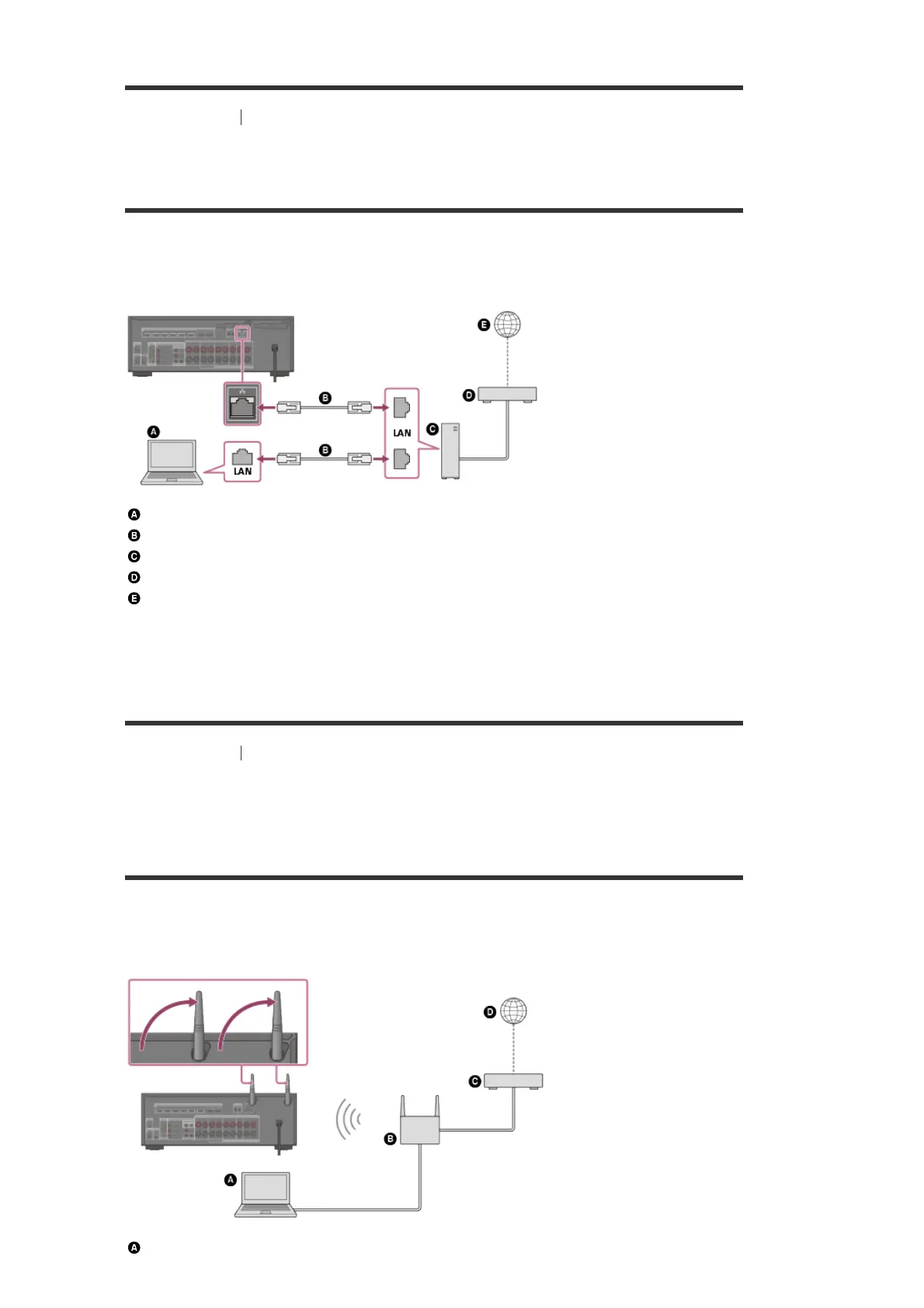
Connecting the receiver to the network using a LAN
cable (for wired LAN connections only)
The following illustration is an example configuration of a home network with the receiver and a
server.
We recommend that you connect the server to the router with a wired connection.
Server (computer, etc.)
LAN cable (*) (not supplied)
Router
Modem
Internet
[43] Preparation
5. Connecting to the network
Connecting the receiver to the network using the
wireless LAN antenna (for wireless LAN connections
only)
The following illustration is an example configuration of a home network with the receiver and a
server.
We recommend that you connect the server to the router with a wired connection.
Server (computer, etc.)
We recommend using category 7 cables.
*


 To Next Page